An IFC handoff may support coordination or host-model work without making the source model editable in the receiving application. Conversion can create receiver-native objects, but the resulting class and controls depend on the application, import settings, and IFC content. Decide what the next task requires before selecting a reference or conversion path.
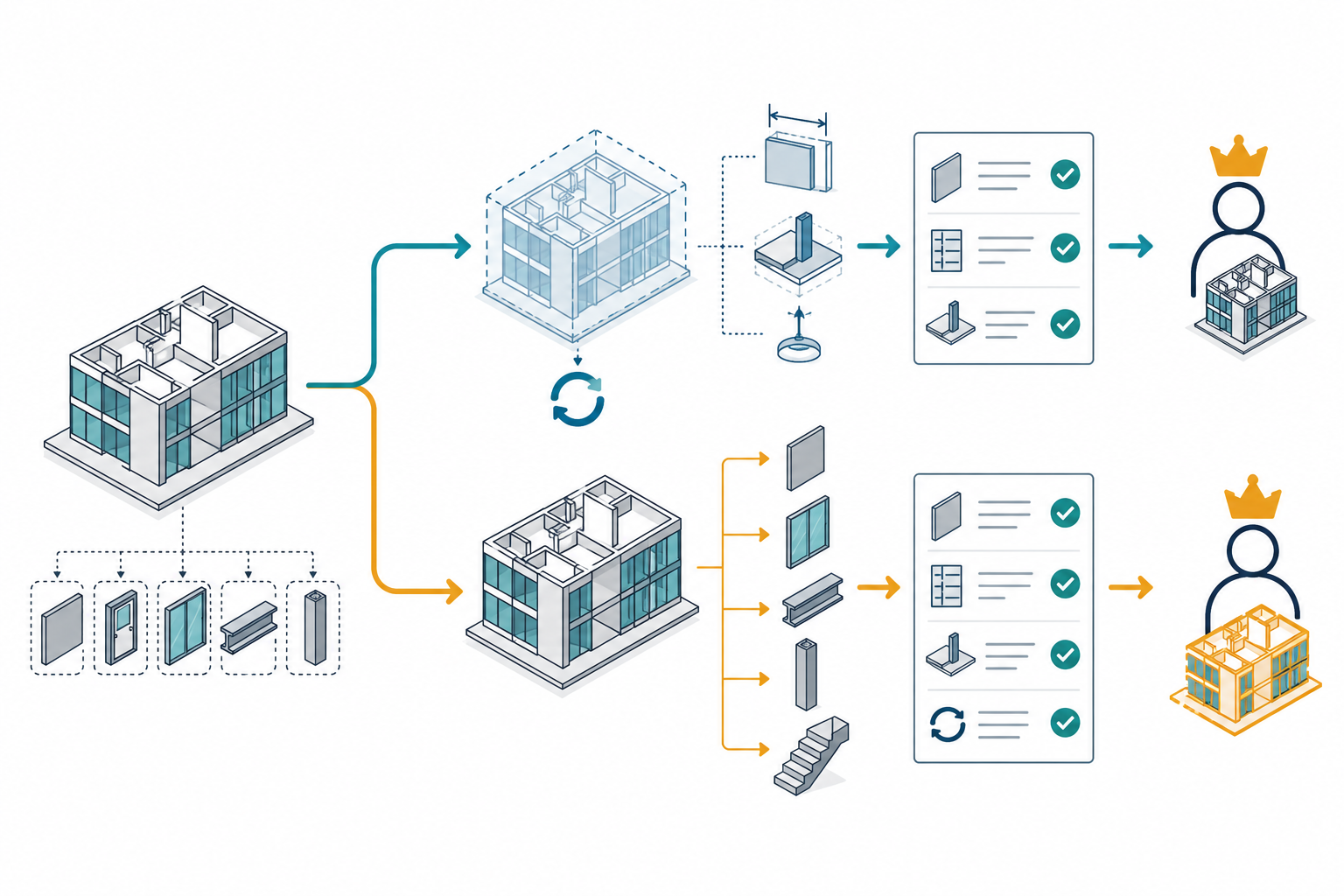
Start with the task and change authority
Separate three needs that are often described with the same word, “editable”:
- Reference use: view or coordinate against another discipline’s model while that discipline retains control of its source.
- Host-model work: create local dimensions, placements, or dependent objects around the linked geometry.
- Receiver-native changes: modify objects using the destination application’s tools and relationships.
Also decide whether the receiver needs source revisions to flow in later. A read-only reference with reload support may be the right choice for coordination; an independent converted copy may be more useful for receiver-side changes; native conversion may be required when the task depends on destination-specific object tools. These choices can change the owner of future edits and the update path, so record both explicitly.
A linked IFC can support host work without becoming native content
Autodesk documents Revit 2026 linked IFC as read-only source content. The host model can use supported IFC geometry as a reference for operations such as dimensioning to faces, snapping, alignment, tagging, and some face-based families. Autodesk notes that these references do not cover every type of geometry or hosted family. After reload, prior references should be checked because a geometry change can make them difficult to maintain. See Revit’s IFC linking guidance.
An IFC link may be enough when the receiver’s work belongs in the host model and the source discipline remains authoritative. It is not enough when the task requires direct modification of the linked source objects themselves. Do not treat a dimension attached to linked geometry or a family hosted on a face as a change to the authoring model.
Conversion creates receiver-side objects
Product labels such as “convert,” “native,” or “parametric” do not describe one common IFC result. Autodesk Inventor 2026 makes the authority choice explicit: a Reference Model stays linked, is read-only, and can be updated when the IFC changes; a Convert Model is a one-time import with no source link, but the imported model is editable in Inventor. Choose between them based on whether future IFC updates or independent receiver edits matter more. Inventor’s IFC guidance describes these two import types.
Native conversion can also produce different object classes within one receiving workflow. In Tekla Structures 2026, supported IFC reference objects can be converted to native parts represented as profile extrusions or to Tekla items, depending on the source model, settings, and available profile information. Tekla states that IFC2x3 Coordination View 2.0 is required for conversion to native profiles; other cases may produce items. Inspect the conversion result and any profile or property mapping on the actual model. A native object status does not prove that source feature history or design relationships were retained. See Tekla’s reference-model guidance and conversion conditions.
Archicad 27 documents another conditional outcome: some IFC building elements can map to parametric Archicad construction tools, while elements without a matching tool or with non-extruded B-rep geometry may become editable Morphs or Objects, depending on the selected conversion preset. For MEP elements, insufficient IFC data may produce non-parametric equipment or Objects instead of parametric MEP elements. This is why checking the generated object class matters more than seeing a successful import message. See Archicad’s IFC geometry-conversion options.
These are separate product examples, not a tested comparison between source and destination applications. They do not establish that an IFC package carries the producer’s original parametric history, constraints, or change authority into a receiver.
Test the edit and the revision path
Use a copy of the intended IFC and receiving project. Define the required object, operation, and expected downstream result first. Then check:
- Import scope: record the IFC version/view, receiver release, import type or preset, geometry options, property mapping, and the object classes actually created.
- Edit authority: confirm whether the target is linked/read-only, host geometry, a generic object, a Morph, a profile extrusion, or a destination-native BIM element.
- Required change: modify a representative object and check dimensions, geometry, relationships, attached properties, hosted or dependent elements, and regeneration as required by the task.
- Source update: if the workflow needs revisions, reload a changed IFC and inspect changed, added, and deleted objects plus the dependent host work. If the copy is independent, record that later source changes will not update it.
- Acceptance evidence: compare the result against the project’s required geometry, identity, property, placement, and downstream checks. There is no universal IFC editability threshold.
Revit 2026 documents a specific linked-IFC reload process: it checks the file timestamp and size, then uses IFC GUIDs to match elements when it detects a change; it can add, update, or delete host elements. Autodesk warns that references to changed geometry may be difficult to maintain and says not to directly edit the intermediate IFC-based model used during the update. That is documented product behavior, not a guarantee that a particular producer keeps GUIDs stable or that matched objects retain equivalent meaning. Verify the references and required host operations after each relevant revision.
Keep spatial placement, entity meaning, and property-set requirements in their own checks; they are related to editability but are not established by a successful native conversion. See the separate guidance on spatial context and BIM exchange and engineering semantics and documentation.
Key points
- Reference use, host-model work, and receiver-native editing are different outcomes.
- A converted object is authored by the receiving workflow; do not assume the source feature history followed it.
- Check the generated object class, settings, mappings, and update authority on the actual IFC model.
- Accept only the edit and revision behavior tested for the stated project task.