A fabrication panel is not the same thing as a multi-board device. A panel document may arrange repeated or mixed child boards for fabrication while each child remains an independently maintained design. The handoff must identify both the board designs and the panel state that produced the manufacturing outputs.
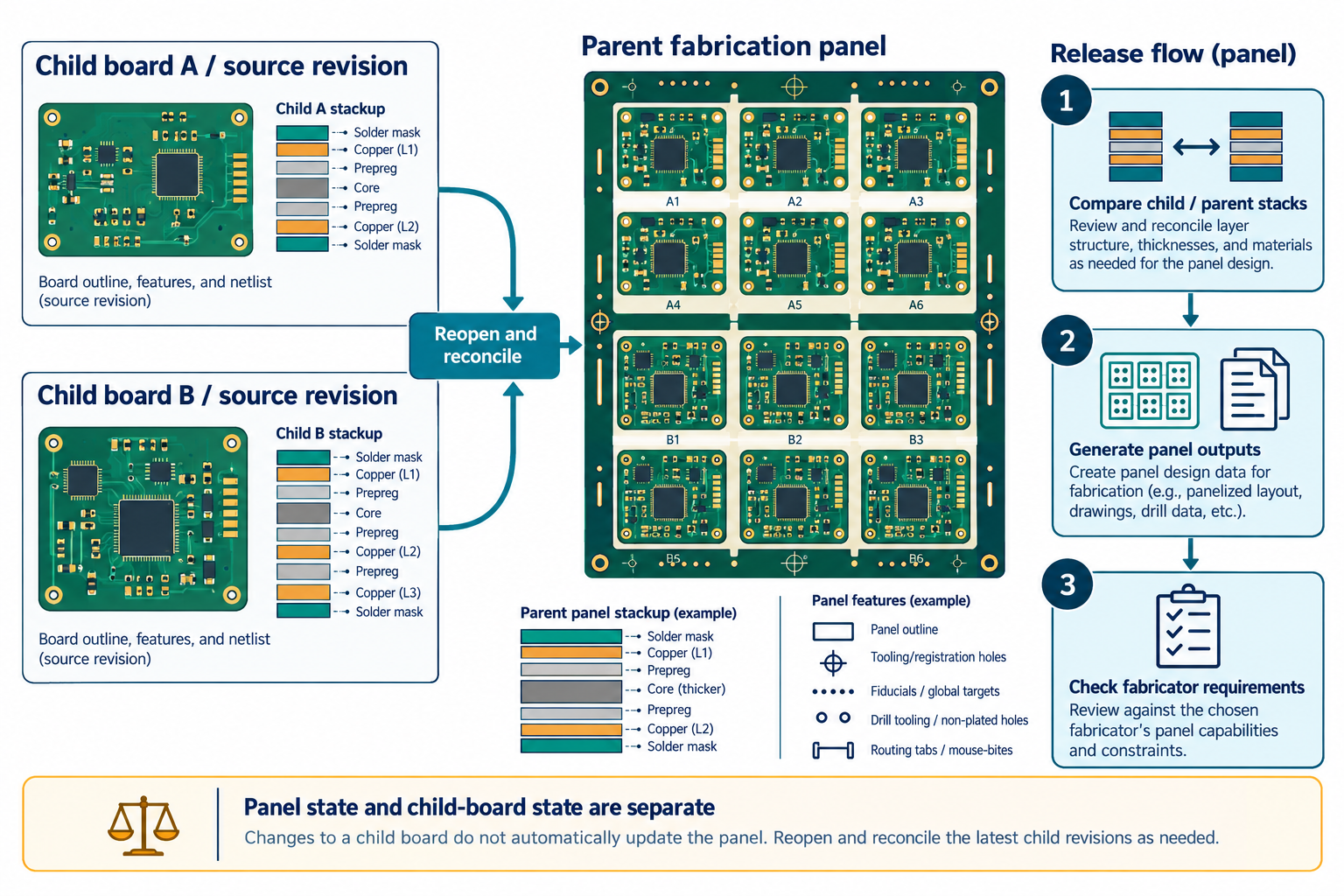
Separate child-board designs from the panel
In Altium’s documented Embedded Board Array workflow, a panel object links to an existing PCB document and repeats it at specified positions. The panel document can contain manufacturing-panel information such as the panel stack, dimensions, V-grooves, and route details outside the source PCB. Gerber, NC Drill, ODB++, and printed outputs can be generated from the panel document.
That is a product-specific example, not a universal panelization model or a fabricator’s required workflow. Ask whether the fabricator or board designer owns panelization, and record the source board revisions, panel document, and agreed panel requirements.
Refresh and compare before generating output
Altium says changes made in a linked source PCB are loaded into an Embedded Board Array the next time the panel file is opened. A previously generated output does not become current merely because its child source later changed. Before release:
- Identify every child design, source revision, and intended population.
- Reopen the panel after child-board changes and confirm that the linked array reflects the intended source revision.
- Check array count, placement, orientation, mirroring, spacing, panel outline, separation method, and any required route or tooling features against the agreed panel drawing.
- Compare each child layer stack with the parent panel stack.
- Generate the fabrication data from the intended panel state and inspect the resulting file set.
The Altium panel workflow reports child-to-parent layer-stack compatibility. Its automatic synchronization attempts to modify the parent panel; it does not modify the child board and does not remove parent layers. The report is a software layer-stack check, not proof of material equivalence, electrical correctness, board-to-panel consistency, or manufacturing acceptance. The current documentation also lists counterholes as unsupported by Embedded Board Arrays and the related drill-table tools; verify feature limits in the installed release.
Keep panel acceptance recipient-specific
Use the fabricator’s panel drawing, tooling, separation, stackup, and output requirements as the acceptance basis. Retain a correspondence between each panel instance and its source board. If the panel has repeated or mixed boards, verify that every produced outline and placement corresponds to the intended child design and configuration. Do not infer a panel’s board-state freshness from its visual appearance alone.
Panelization guidance differs from device-assembly exchange: a panel is a manufacturing arrangement, while a multi-board device represents boards in a product assembly. For the data files that go with a released panel, use the PCB fabrication and assembly package guide.