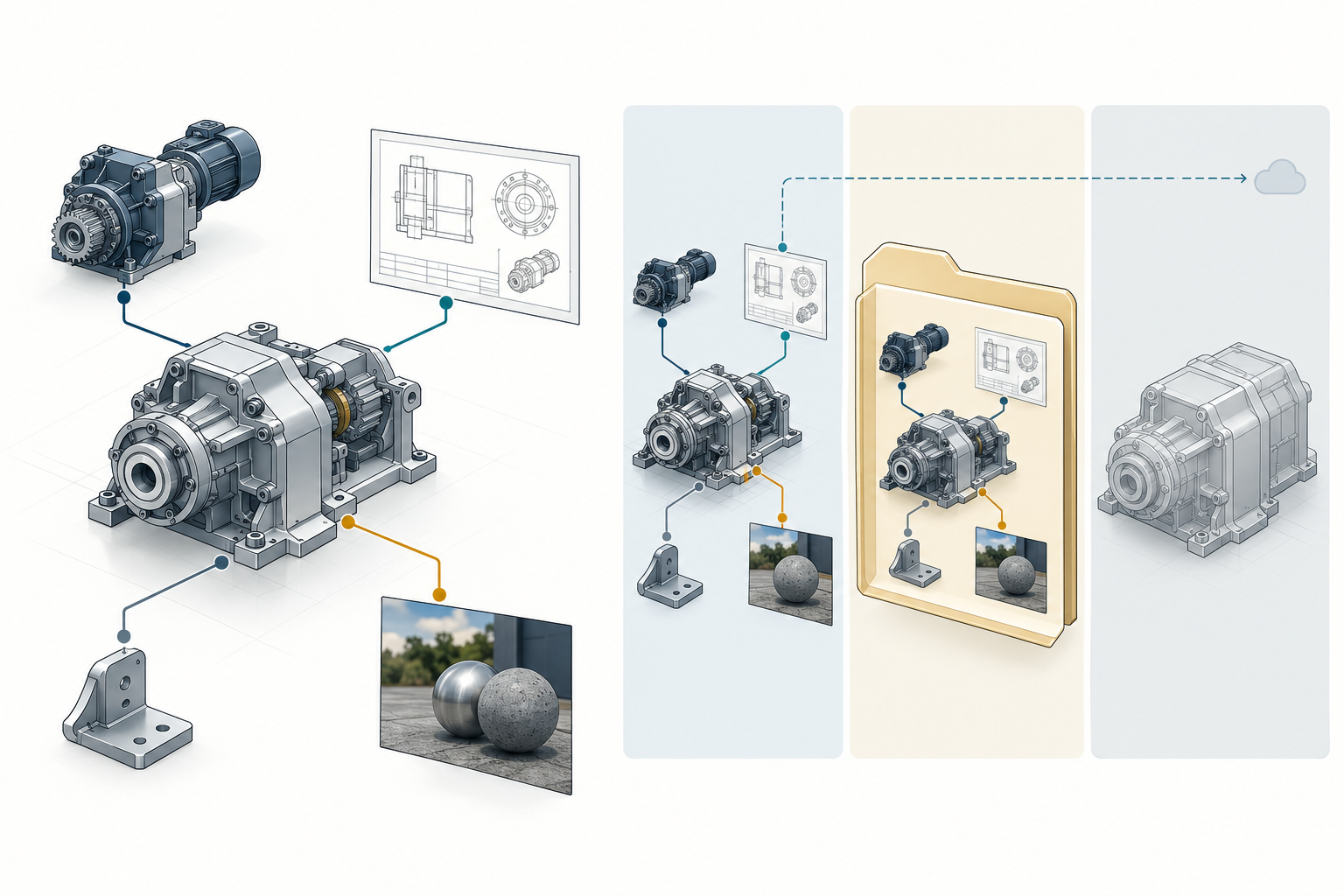
A design file is often the visible root of a larger dependency graph. Its useful meaning may depend on linked components, nested references, textures, project or search-path context, versioned documents, or external classification and library information.
The receiver does not need every possible dependency. It does need every dependency required for the stated purpose. Define that closure before sending the package.
Ask what must resolve
Start with the operation the recipient must perform:
- view the intended whole;
- continue a live collaboration;
- update a linked design;
- deliver a fixed supplier package;
- select and inspect a variant;
- produce downstream output; or
- retrieve the same package later for audit or reuse.
Then identify the root and walk outward. For each child or external object, record whether it is embedded, copied, referenced by path, addressed through a resolver, linked to a versioned document, or expected to be available from another service. In Revit LT 2026, when a linked file cannot be found, Revit displays the path to the version retrieved most recently but cannot update the link. Treat that display as a diagnostic clue, not proof that the intended current dependency resolved.
Three different handoff choices
Live or reference-based collaboration
A live link lets a host consume changes from a referenced object. It can preserve a collaboration or update workflow, but it also depends on access, paths, permissions, versions, and resolver behavior. The recipient needs a defined source of truth and a way to detect updates.
AutoCAD’s documentation gives a bounded example. An external reference can be reloaded so changes in the referenced drawing are reflected in the host. Paths may be relative, full, or absent, and nested xrefs can form a deeper tree. An unresolved xref is surfaced in the External References interface. These are AutoCAD behaviors, not general rules for every CAD reference mechanism.
Onshape likewise documents linked documents and reference updates in its Instances list, including changing an instance to another document version through its Reference manager. That is a cloud-product reference model; it does not establish that an exported file package carries the same link or version closure.
Reference location, access, update policy, and fallback behavior vary by product. See Reference State and Update Behavior in Design Handoffs for bounded examples and a receiver-side check.
Choose a live link when the recipient is meant to consume future updates and the access and version model is part of the delivery. Include a snapshot or manifest when the recipient also needs a stable record of what was used.
Copied or packaged delivery
A package copies the root and selected dependencies into a delivery context. It can be the right choice for a supplier, an offline review, or a controlled snapshot, but copying is not the same as preserving a live link.
Autodesk Inventor’s Pack and Go documentation describes packaging a file and all or a selection of its referenced files into one folder. It requires the references to be resolvable through the relevant project file, and it creates a new project file and log in the destination. Missing references can be located, skipped, or left out; a skipped item is a dependency gap, not evidence of complete closure. The operation is specific to Inventor’s project and file-reference model.
Treat the package as a new delivery context. Test it from the destination folder with the included project or path settings, rather than only from the sender’s workstation.
Sender-side export scope can be a dependency decision in its own right. Onshape allows an entire Assembly, a subassembly, or selected instances to be exported. Its individual-part option creates a ZIP of one-part files, hidden instances can be included explicitly, and suppressed parts or instances are excluded from Assembly exports. Record the selected objects and state before delivery; the resulting ZIP is not automatically a structure-preserving package, and Onshape states that downloaded data do not contain features or parametric history.
Inventor documents a different set of format-specific choices. A JT assembly can be monolithic, per-part with hierarchy in one JT file, or fully shattered into component files; a STEP assembly is written with the assembly and reference parts in one file. These options are not equivalent package forms. Deliver and test the exact generated file set, version, and receiver rather than assuming that a single file is more complete or that a multi-file export is more portable.
Flattened or bound delivery
Flattening or binding turns a reference-based result into a more self-contained representation, but the operation can change the semantics that made the references useful. It may remove the ability to reload a source, select a variant, preserve overrides, or trace an object back to its dependency.
OpenUSD’s referencing tutorial shows a stage referencing another USD layer by an asset identifier, applying overrides, and exporting a flattened result. It also notes that resolvers can map identifiers through site-specific logic and that layers need not be ordinary files on disk. Therefore, copying files alone may not reproduce a USD composition environment. A flattened USD stage can be appropriate for a recipient that needs the composed result, but it must be tested if references, overrides, or variants matter.
AutoCAD documents binding an xref so the referenced drawing becomes part of the current drawing for a completed or archived project. Binding changes reference and named-object semantics; it is an AutoCAD archive choice, not a universal repair for missing dependencies.
Other products make dependency selection explicit in different ways. In Creo
Parametric r12, retrieving an assembly instance requires the necessary
components to be local or on a search path. The
retrieve_instance_dependencies setting controls whether Creo loads only
instance dependencies, the required generic models, or all generic
dependencies. A successful retrieval therefore depends on recording both the
selected instance and the dependency policy; it is not evidence of a portable
package for another system.
Creo also documents a reuse-specific risk: if a subassembly uses placement geometry outside itself, its design intent may be unclear outside the higher-level assembly and reuse in another design may be difficult. For a standalone subassembly handoff, inspect those external placement references and deliver the required parent context or record the limitation.
SOLIDWORKS Design Help 2026 describes Pack and Go as collecting related files such as parts, assemblies, drawings, references, design tables, appearances, scenes, and simulation results into a folder or ZIP, with some additional classes depending on how the command is opened. The documented output choices are product-specific and option-dependent; they do not prove that every design dependency was collected or that a copied package remains a live link.
The JT v10 reference similarly allows external partitions that point to other JT files and requires measurement-unit context for interpreting numeric data. A partitioned JT delivery therefore needs an explicit root, partition set, and unit check in addition to opening the root file.
External references are not automatically package manifests
IFC’s IfcExternalReference illustrates a different boundary. It can identify information not explicitly represented in the current model or project database, with optional Location, Identification, and Name values. A URI can say where a source may be accessed, while an identification value can identify an item within that source. None of these fields alone proves that the source is present locally, reachable, version-matched, or included in an offline package.
Use a manifest or delivery record when the receiving purpose needs reproducibility. Record the exact source identity, version or revision where applicable, package membership, access assumptions, and the test result. Do not infer package closure from a path string.
Pre-send checklist
Before delivery, record:
- The intended root file, model, document, or project.
- Every direct reference and the nested references beneath it.
- Whether each dependency is embedded, copied, live-linked, externally resolved, or deliberately omitted.
- The project file, search path, resolver, workspace, or access context required to resolve it.
- The intended version, revision, configuration, and update behavior for each versioned dependency.
- Any textures, drawings, libraries, classifications, metadata, or other external assets needed by the receiving task.
- A package manifest, log, or report that records what was found and what was skipped.
- The consequence of flattening, binding, or copying for future updates and traceability.
For export workflows, also record the exact selected objects, hidden or suppressed state, format and version, one-file versus multi-file grouping, and any product-specific dependency policy. These choices define what was sent before the receiver can be tested.
If a dependency cannot be resolved, make the omission explicit. A partial package may still be useful for a limited viewing purpose, but do not label it portable or complete without stating the boundary.
Post-receipt checklist
The recipient should test the package in the intended destination context:
- Open the declared root from the delivered folder or workspace.
- Inspect the reference tree, including nested references.
- Resolve every dependency and record unresolved or access-restricted items.
- Confirm the expected versions, revisions, configurations, and variant selections.
- Reload a live reference or perform the intended update test if collaboration is in scope.
- Compare the visible and structural result with the sender’s manifest.
- Perform the downstream task that justified the delivery.
- Preserve the package, manifest, logs, and any required resolver or project context for later retrieval.
For USD, test the package in the configured resolver environment. For an Inventor package, verify the new project file and log as well as the copied files. For AutoCAD xrefs, inspect the External References tree and distinguish a still-live xref from a bound one. These examples provide concrete checks, not universal commands.
Key points
- Dependency closure is defined by the receiving purpose, not by the existence of a top-level file.
- Live links, copied packages, and flattened or bound results have different update and traceability behavior.
- Project files, search paths, resolvers, access rights, and version context can be part of the dependency.
- A missing or skipped reference is a declared gap, not successful package closure.
- Test from the recipient’s context and record what the package actually supports.