A flat-pattern DXF or DWG is a derivative of a sheet-metal design. A useful handoff identifies the authoritative folded model and intended flat state, then tells the recipient which exported entities represent cut geometry, bends, or other information. A successfully opened drawing does not prove that its profile, layers, scale, or bend indicators match a fabrication recipient’s intake requirements.
Identify the exact part and flat state
Before export, record the part, body, configuration, and design revision. State whether the source system supplies the flat pattern or the recipient is expected to regenerate it. For a multibody or multi-part file, define which body or set of bodies is included and how each output file maps back to the source item. A filename alone is a weak identity link if the export can include multiple parts or a different active configuration.
Separate fabrication geometry from context
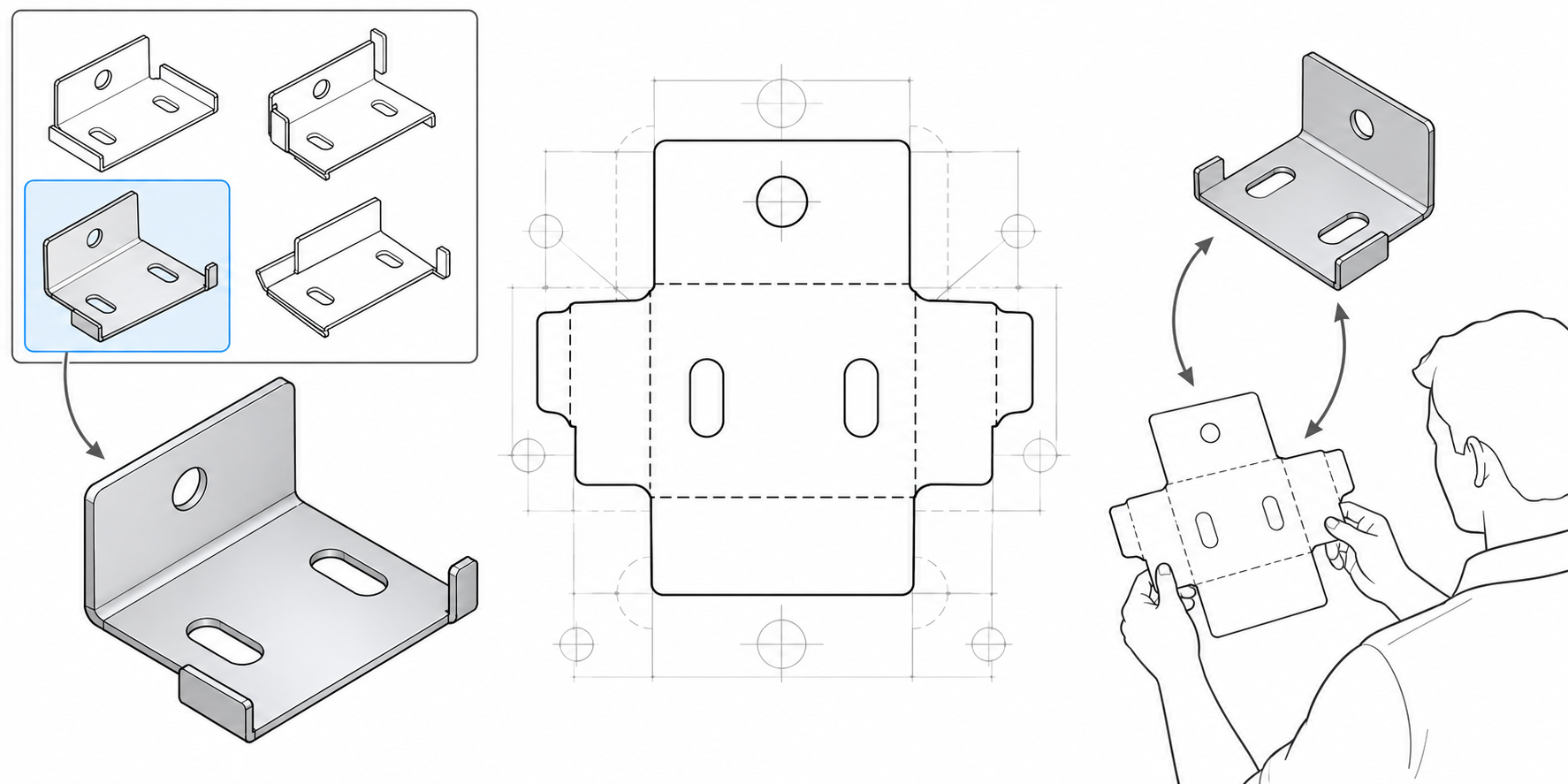
Agree which entities the recipient should use for each purpose:
| Content | Handoff question |
|---|---|
| Outer and inner profiles | Which closed contours are intended for cutting, and are holes, slots, and internal cuts distinguishable from punches or marks? |
| Bend indicators | Are bend centerlines, tangent lines, axes, or directions needed, and how should they appear to the receiver? |
| Punches, countersinks, forms, and auxiliary geometry | Which are fabrication features and which are only explanatory context? |
| Notes, sketches, and bounding geometry | Are they required by the recipient, optional, or noise that should be excluded? |
| Layer, color, and line style | Which visible output convention does the named receiver interpret for each entity? |
Do not assume that a drawing frame, bounding box, or every visible curve is a machine profile. Keep bend, cut, marking, annotation, and reference entities separate when the export tool permits it.
Record coordinate and curve choices
For the exact receiving workflow, check units and scale, export plane, Z value and normal direction, front/back meaning, and orientation. Confirm whether curves are written as splines or approximated as polylines and whether a recipient-specific tolerance or quadrant setting applies. Also record the DXF/DWG release, file grouping, layer mapping, line style, and visibility settings. Defaults are product settings, not universal fabrication conventions.
Compare sender options without treating them as standards
Official sender documentation exposes several distinct choices:
- Inventor 2026 documents configurable DXF output, including geometry, layers, and machine-related constraints. Its help says many machine tools require R12, but a named receiver may have different file-version and entity requirements.
- Onshape lets an exporter select the part, feature, or active Part Studio scope and offers choices for polyline spline output, plane/normal, bend lines, countersinks, form features, and sketches.
- Creo Parametric 13 documents optional bend lines, axes, notes, forms, mold lines, and other curves, along with mappings to output layers, colors, styles, and fonts.
These are sender controls; they do not establish that one exporter was tested with a particular nesting system or shop. A named supplier may add its own intake conditions. For example, SendCutSend describes visible bend-line style recommendations for its upload workflow, with guidance that varies by CAD application. Apply that guidance only to that supplier’s documented workflow and confirm its current requirements for the intended job.
Use a recipient-specific transfer brief
Authoritative part, configuration, and revision:
Source folded model and intended flat-pattern state:
Selected body/part scope and output-file mapping:
Units, scale, plane, orientation, and front/back meaning:
Cut, bend, punch/mark, annotation, and auxiliary entities:
Curve representation/tolerance and DXF/DWG release:
Layer/style/visibility mapping required by the receiver:
Recipient product, release, and intake requirements:
Receiving comparison and job-specific acceptance check:
At receipt, compare the included contours and bend indicators with the authoritative flat state, inspect scale and coordinate orientation, and check that each entity is interpreted as intended. Upload or import success alone does not prove that the shop recognized the bend information, accepted the part, or produced the intended physical result.
For machining context after a derivative is received, see CAD-to-CAM/CNC Handoffs. For a broader package brief, see Supplier Fabrication Packages.