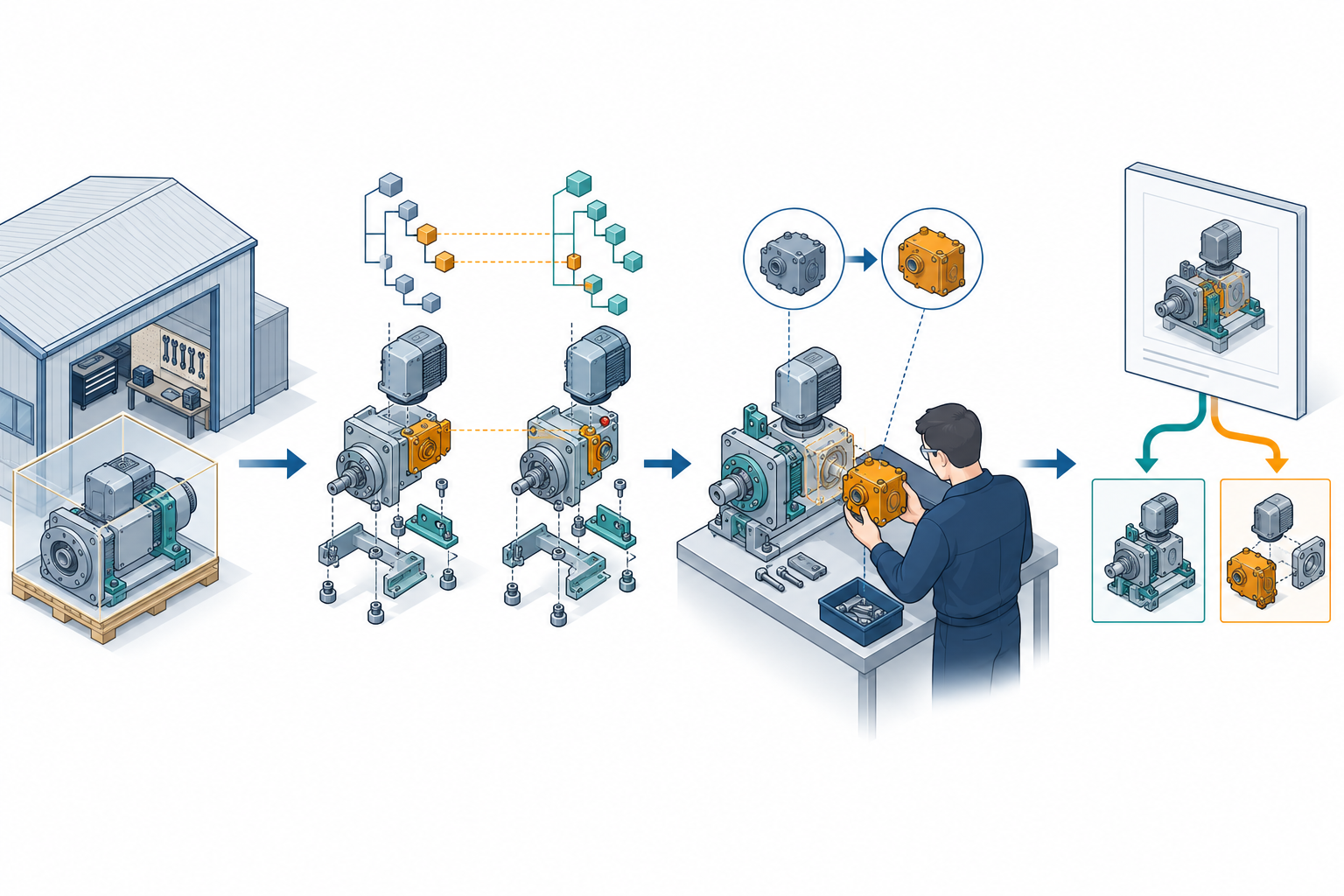
“The file imported successfully” is an event, not an acceptance decision. A transfer is acceptable only when the received structure supports the task for which it was delivered.
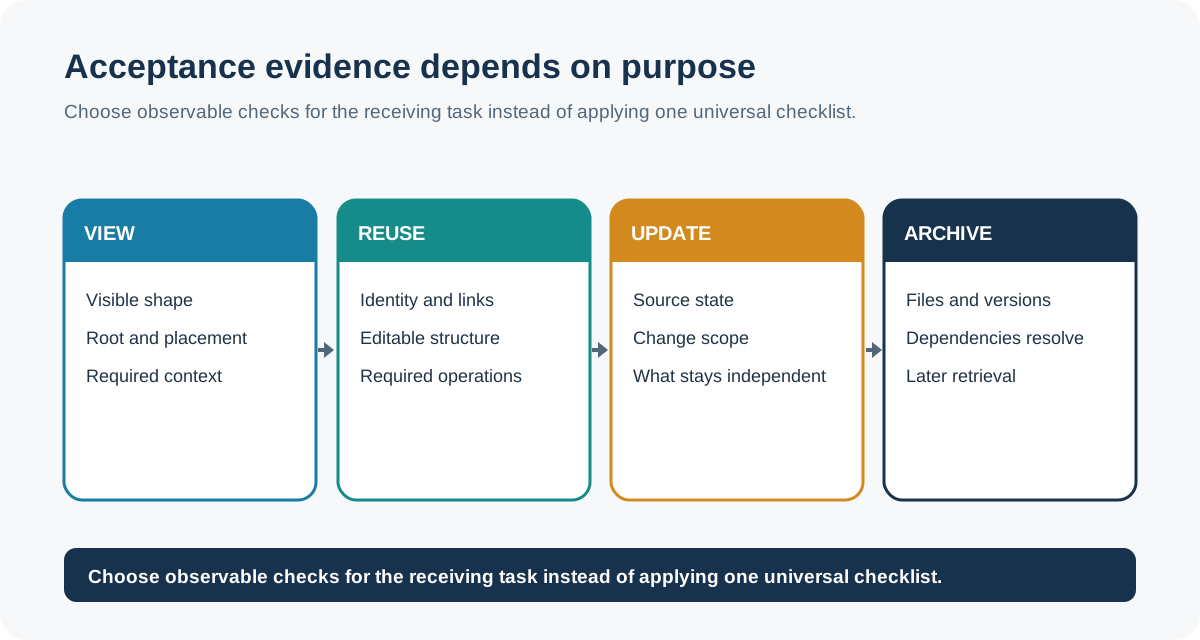
Define that task first. Viewing, supplier delivery, controlled update, component reuse, and archive retrieval need overlapping but different evidence.
Start with the receiving purpose
Use a purpose-specific acceptance target:
| Purpose | Minimum question |
|---|---|
| Viewing or coordination | Can the recipient open the intended root with the expected visible hierarchy and placement? |
| Supplier delivery | Can the supplier identify the required components, quantities, configurations, and dependencies without guessing? |
| Reuse | Can the recipient select the intended definition and occurrence context for the next design task? |
| Controlled update | Can the recipient identify what should update, replace, or remain independent? |
| Archive retrieval | Can another person reconstruct and verify the intended structure, identity, version context, and required files later? |
Do not require a live update relationship for a fixed supplier snapshot unless the delivery purpose calls for it. Conversely, do not accept a visually correct snapshot when the purpose is controlled downstream updating.
Build an acceptance record
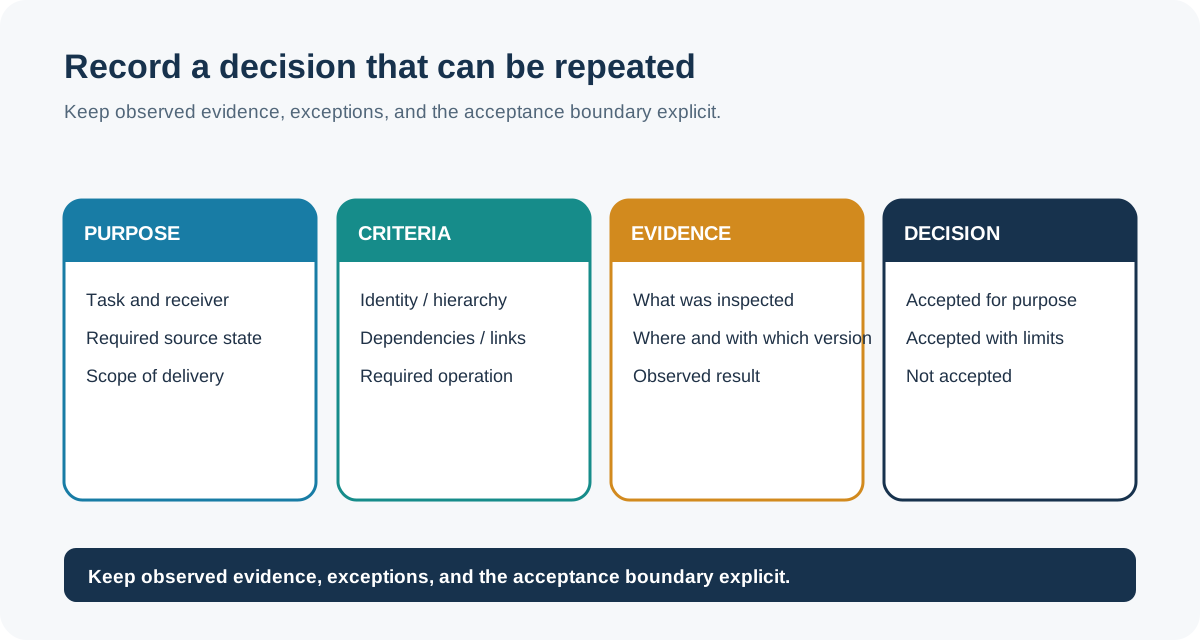
Record the source and destination products, versions, exchange representation or profile, configuration selection, and purpose. Then capture the structural expectations before inspecting the result:
| Check | Expected value | Received value | Result / exception |
|---|---|---|---|
| Root object | Named product, assembly, model, or project | ||
| Node or occurrence count | Defined count and counting rule | ||
| Hierarchy | Expected parent-child paths and depth | ||
| Placement | Required positions, orientations, or relationships | ||
| Definitions and reuse | Shared versus independent occurrences | ||
| Identifiers | Part numbers, IDs, names, revisions, or quantities in scope | ||
| Configuration | Selected variant and required inputs | ||
| Relationships | Mates, aggregation, nesting, connections, or other required types | ||
| Dependencies | Required linked files, assets, project context, and versions | ||
| Receiver task | Operation that must succeed after receipt |
For a sender-side export, add the selected objects, active or suppressed state, format and version, grouping choice, and any dependency-selection policy to the record. Without that information, a receiver cannot tell whether a missing component was lost in transfer or deliberately omitted before export.
The table is a record format, not a universal checklist. Remove fields that do not serve the stated purpose and add only requirements that the receiver can observe and verify.
Check relationships, not just counts
A hierarchy can contain the right number of nodes while assigning them to the wrong parents. A structure can also preserve parent-child links while losing whether a relationship is ordered, whether an occurrence is shared, or which configuration was selected.
IFC provides a precise schema example. IfcRelAggregates represents whole/part decomposition with an unordered set of related objects. IfcRelNests is a distinct relationship with a list whose position implies order. A receiver that depends on order must check the relationship type and list positions, not only the number of children. The IFC 4.3.2 documentation is marked as under development; verify the applicable release, model view, implementation agreement, and receiver behavior.
Onshape’s product documentation provides another bounded test pattern: inspect the Instances list for instance number, part number, revision, and state where those properties are in scope, then confirm the selected linked document version and active configuration. These observations establish Onshape-side context, not neutral-format preservation.
The current sender-side evidence adds concrete preconditions to that test. In Onshape, an Assembly export may target the whole Assembly, a subassembly, or selected instances; hidden instances are optional and suppressed instances are excluded. A released configured object is also limited to the configurations explicitly included in that release. Confirm those selections before treating the receiver’s node count as a meaningful comparison.
Inventor requires similar separation. Its JT export offers monolithic, per-part, and full-shatter structure choices, while STEP assembly export uses a single file containing the assembly and reference parts. Inventor also distinguishes iPart/iAssembly members, Model States, View representations, and Positional representations; suppression or exclusion can change BOM or parts- list participation. Record the exact state and output form rather than calling all of them a configuration transfer.
For a Creo family-table handoff, identify the generic, selected instance, instance-only or suppressed components, and the replacement rules being tested. Retrieval additionally depends on whether Creo loads only instance dependencies, required generic models, or all generic dependencies. If the subassembly is meant to stand alone, inspect local versus external placement references; PTC documents external placement context as a reuse risk.
For a SOLIDWORKS Pack and Go delivery, record the launch context and selected options, inspect the generated folder or ZIP, and resolve the root from a clean environment. The documented related-file classes are not a guarantee of design-specific closure. For a partitioned JT handoff, verify every external partition and the measurement-unit property, not only the root file.
Use bounded consistency checks
Separate dependency discovery from property checks
A sender-side report can help establish which files and properties to inspect. In Autodesk Inventor Design Assistant 2025, a Hierarchy report can list an assembly’s hierarchy and referenced file paths, but it does not show file properties. A Properties report includes the hierarchy and only the properties selected for the report. The active Inventor project supplies the session’s search paths, so record that project and choose the identity or revision properties required for the handoff. Neither report proves that a package contains every dependency or that a receiver preserved the reported values.
For product-structure archiving and reuse, LOTAR TS-9300-200-1 describes a validation-property approach:
- Select the critical attributes that define the local node identity and specify their deterministic order and representation.
- Calculate an attribute hash from those normalized values.
- For an assembly, incorporate each direct child’s selected unique key, revision, and quantity in the defined order.
- Hash intrinsically tied files separately when the local package requires their content to be checked.
- Compare the resulting properties at extraction, ingestion, or reuse.
The specification treats this as a consistency method. It explicitly separates consistency from the meaning of the data. A matching property therefore does not prove that the receiving application interpreted the structure correctly, that the geometry is faithful, or that the result is usable for the downstream task. The selected fields, ordering, normalization, algorithms, and linked-file set must be defined for the local exchange or archive; the LOTAR example is not a universal hash recipe.
If a cryptographic or validation signature is used, record its algorithm and scope. Never report a match without saying which data were included and which were outside the check.
Test the receiver’s actual task
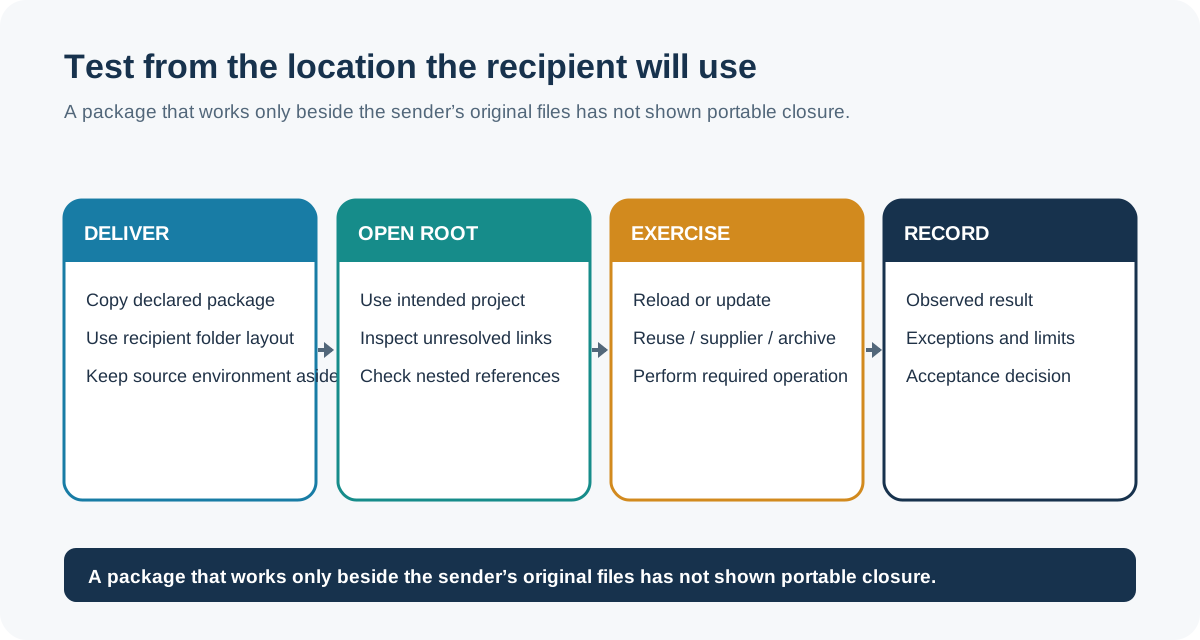
After structural comparison, exercise the operation that motivated the handoff:
- Viewing: open the declared root, expand the expected levels, and inspect placements and visible instances.
- Supplier delivery: identify the required components and quantities, resolve all dependencies, and confirm the selected configuration or revision context.
- Reuse: select a component and verify that its definition, occurrence, and intended placement are available for the next operation.
- Controlled update: reload or update the intended reference, or perform the supported replacement test, and confirm what changed and what remained independent.
- Archive retrieval: close and reopen the delivered package in a clean or documented environment, resolve the declared dependencies, and verify the recorded identity and structure against the acceptance record.
For any result that depends on a sender-side file set, repeat the test after relocating the package or opening it from the documented project, search-path, or resolver context. A successful first open from the sender’s workspace does not establish portable dependency closure.
When linked or externally referenced content matters, also record its path or access context and the update behavior the receiver must support. See Reference State and Update Behavior in Design Handoffs for product-specific examples.
If a BOM, drawing parts list, or spreadsheet is part of the acceptance record, first establish its view, filters, depth, grouping, and quantity rules. A report may intentionally omit, combine, or promote members, and an import sheet may describe changes instead of a complete replacement structure. Use the BOM-view reconciliation checks to define that scope; then verify the required receiving operation here.
A display match is useful evidence for a viewing requirement. It is not sufficient evidence for update, reuse, or archive retrieval. A file-count match is also insufficient when export grouping, suppressed state, external partitions, or dependency policy differ.
Handle dependencies and exceptions explicitly
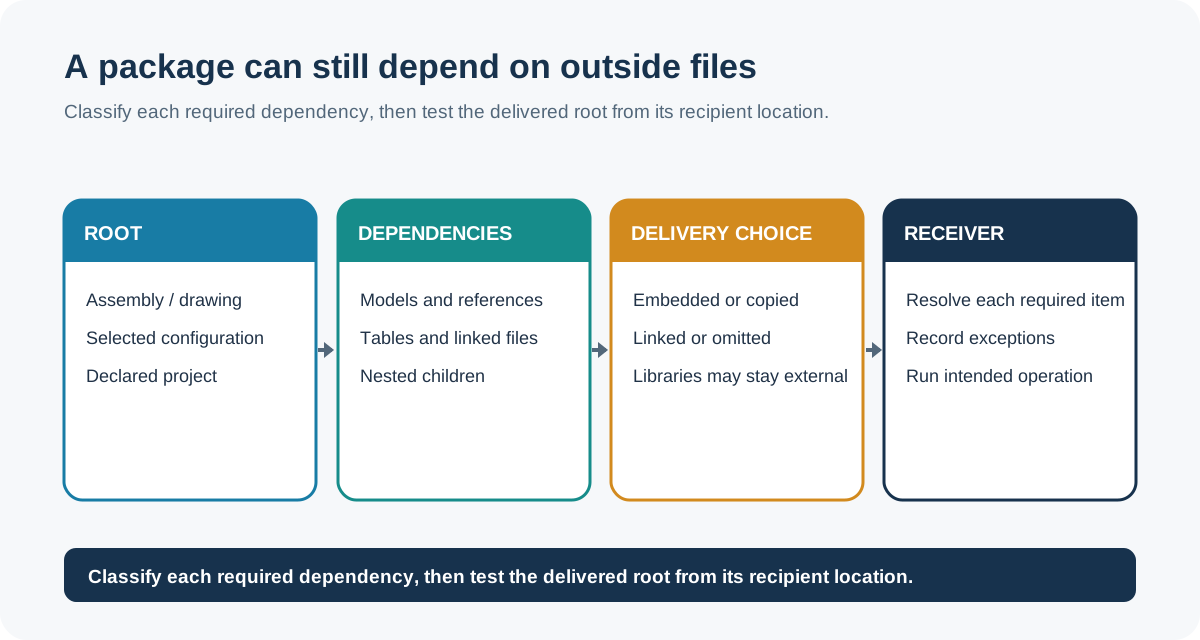
Inspect the dependency tree recursively. For a package delivery, record whether each required external item was embedded, copied, linked, or omitted. For an AutoCAD xref, distinguish a still-live reference from a bound reference because binding changes the reference relationship. For an Inventor Pack and Go result, check the selected project file, the new log, the packaged files, and any missing references that were skipped or manually located.
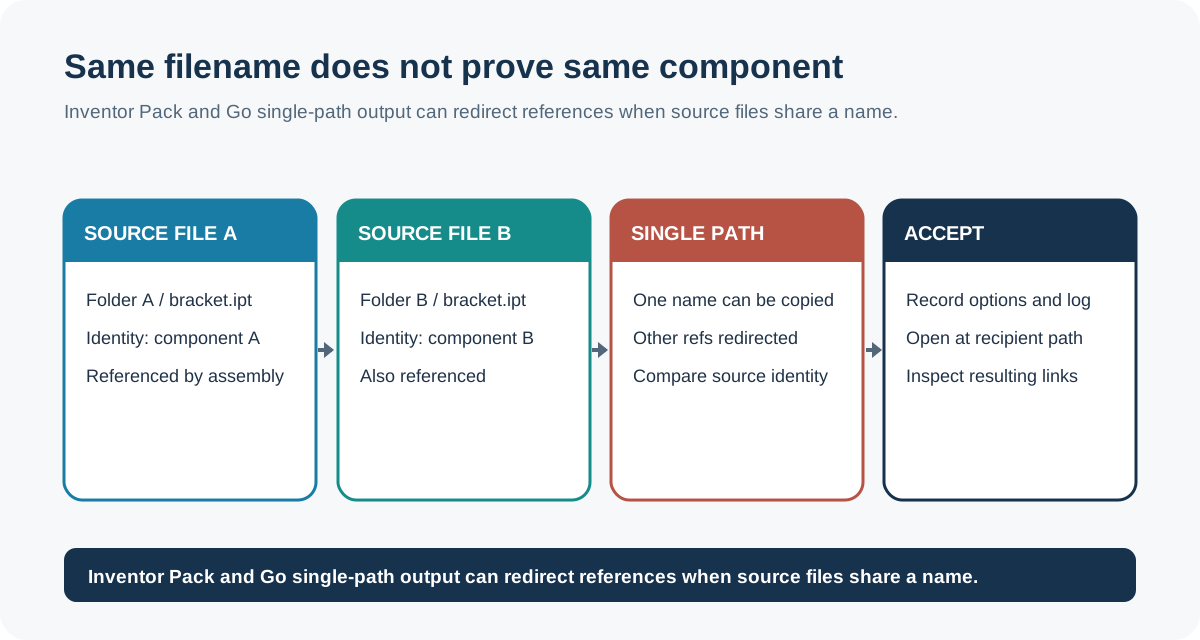
For Inventor 2026 Pack and Go, also check the selected copy options. Copy to Single Path can redirect references from distinct same-named source files to the one copied file; Skip Libraries leaves references at their original library locations. Compare source identities when names collide, record the options and operation log, then open the package from the recipient location and exercise the required task. These are Pack and Go behaviors, not proof that a package is complete or usable elsewhere.
An IFC IfcExternalReference can carry a location URI and a source-local identification value, but those fields do not prove that the referenced material is locally available or that the package is complete. Test resolution and record access or version assumptions.
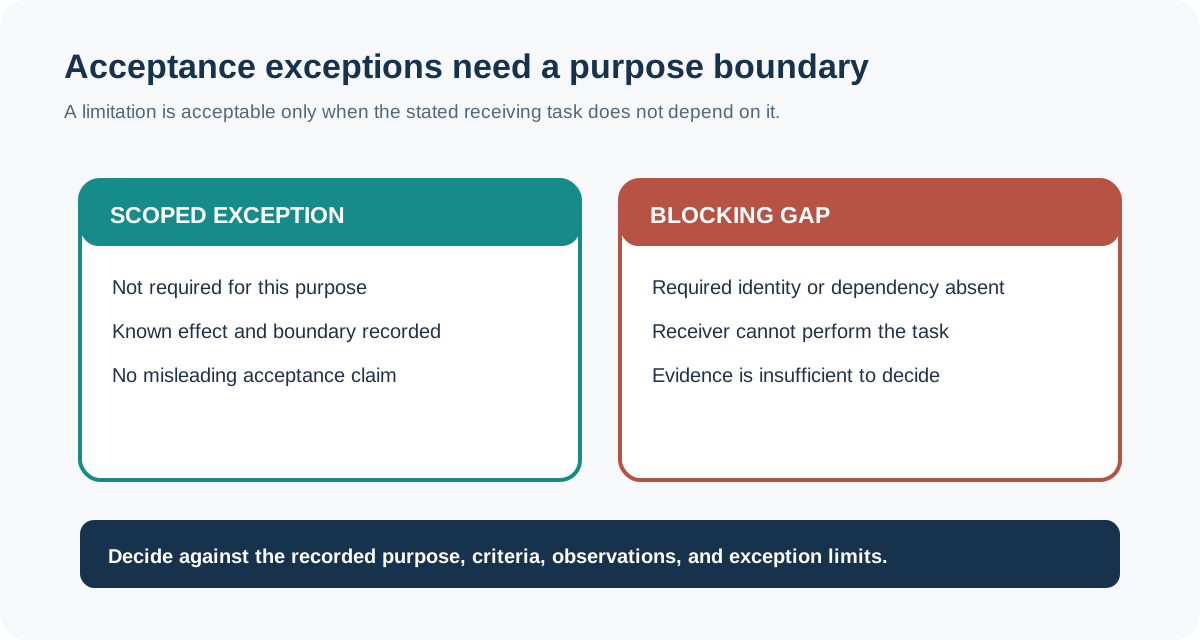
An exception is acceptable only when it is within the purpose-specific boundary. For example, a missing visualization texture may be acceptable for a geometry-only supplier review but not for a rendering delivery. A flattened structure may be acceptable for a fixed snapshot but not for a live update workflow.
Record the decision precisely
Use a result that says what was accepted and what remains unproven:
- Accepted for purpose: the checked structure and dependencies support the stated task within the recorded scope.
- Accepted with exception: the task is supported, but listed differences or omissions remain and are outside the required boundary.
- Not accepted: a required structural property, dependency, identity, configuration, or receiver operation failed.
- Unable to establish: the available evidence or receiver access was insufficient to make the decision.
Do not turn an acceptance result into a universal compatibility claim. State the source and destination context, version or profile, checked information layers, exceptions, and the operation that passed or failed.
Key points
- Acceptance begins with the receiving purpose, not with a file-extension or import result.
- Check the root, hierarchy, occurrences, placements, relationships, identities, configurations, and dependency closure that the purpose requires.
- Consistency signatures can detect selected differences but do not establish semantic correctness or downstream usefulness.
- Test the receiver’s real operation and document exceptions with their scope.
- A precise purpose-bound result is more useful than an unsupported claim that a transfer is simply “compatible.”