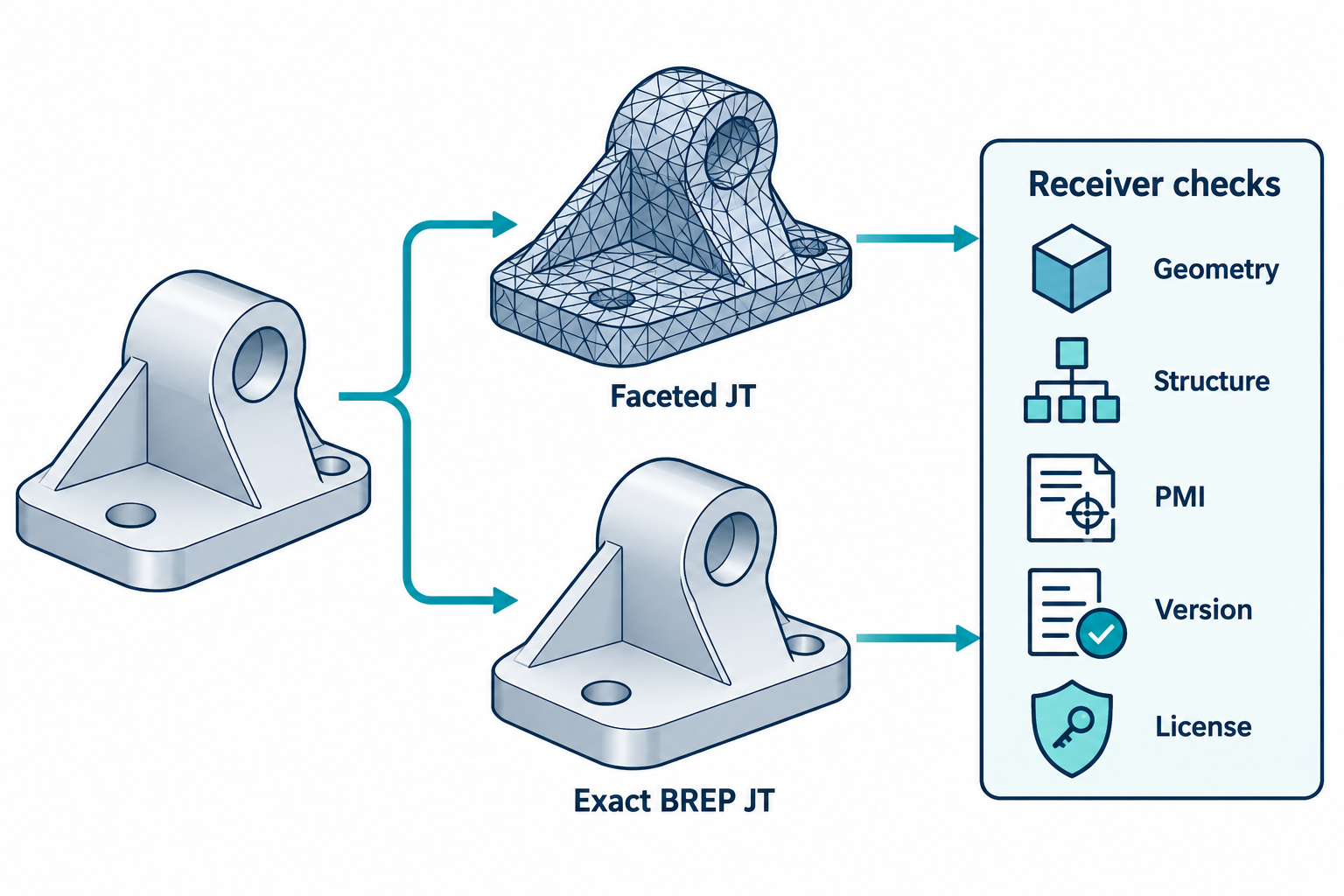
JT can carry an exact boundary representation or a faceted representation, but that choice does not make both deliverables equivalent. Creo’s Interface for JT lets the exporter select an exact BREP representation through a profile; facet representation is the documented default. A receiver’s supported JT version, installed reader, and task also matter.
Choose what the receiving task needs
| Route choice | Documented boundary | Questions for the recipient |
|---|---|---|
| Faceted JT | Creo’s JT interface uses facet representation by default. | Is the tessellated shape sufficient for the intended view, review, or visualization? What visual or geometric checks are required? |
| Exact BREP JT | A Creo export profile can select BREP as the exact representation. | Does the receiver support and expose the required exact geometry? Can it perform the declared measurement, downstream edit, or manufacturing operation? |
Do not infer from “exact” that the file contains native Creo feature history, or that every viewer will expose the same structure and PMI. Record the selected profile and test the required receiver operation.
Record Creo structure and PMI conditions
PTC documents JT import and export for parts and assemblies in Creo Parametric 12. Export requires the Interface for JT license. Profiles can also control facets, quilts, curves, datum features, cable geometry, cross-sections, exploded states, annotations, and designated parameters. Creo generates import and export logs that can help identify the selected route and reported results.
The destination structure can depend on the imported JT subnode data. When the documented subnode condition is present, Creo uses it to decide whether a node is a part or assembly. The model type can be changed from part to assembly, but not from assembly to part through that control. PTC describes PMI, color, and model-view preservation at subnode levels under the stated condition; this is not a blanket claim of complete PMI or assembly preservation.
For a route that depends on structure or annotation, compare the source and received subnodes, components, PMI locations, colors, and model views. Keep the import profile and log with the project acceptance record.
Confirm Creo View eligibility
Creo View 13 lists JT support up to version 10.6. PTC also identifies a separate JT license condition, and some reader entries have additional installation or adapter conditions. Check the exact Creo View edition, installed reader, JT version, and license before delivery. A row in the supported-file list establishes a reader boundary, not feature, PMI, structure, or task preservation.
For a board/enclosure or harness coordination task, choose JT only if its selected shape/PMI purpose matches the recipient’s need. The separate CoDesigner and IDX guide covers proposed ECAD–MCAD changes and directional harness information; it does not establish that those data are encoded in this JT route. Do not infer harness connectivity or manufacturing meaning from a viewable JT model.
A route acceptance sequence
- Record the source Creo release, part or assembly, JT interface license, and selected export profile.
- Set whether the output is faceted or exact BREP and record the other profile choices that affect the receiving task.
- Freeze the JT file version and the recipient’s Creo View release, edition, license, and reader installation.
- Open the delivered file in the intended receiver and inspect geometry, product structure, PMI, colors, and model views that matter.
- Perform the actual downstream task and review the import/export logs for warnings or omissions.
- Accept only the information and operation that were checked; record feature history and other untested semantics as unestablished.
Key points
- Faceted and exact BREP JT are distinct representation choices.
- Creo profile, license, subnode structure, and PMI conditions affect the route.
- Creo View’s JT reader support does not prove that a particular delivery is fit for its task.