STEP AP242 is a plausible neutral route for a mechanical part or assembly, but the protocol name is not a product-pair test result. A responsible handoff records the SOLIDWORKS export controls, the Creo import context, the actual edition and profile, and the mechanical task the receiver must complete.
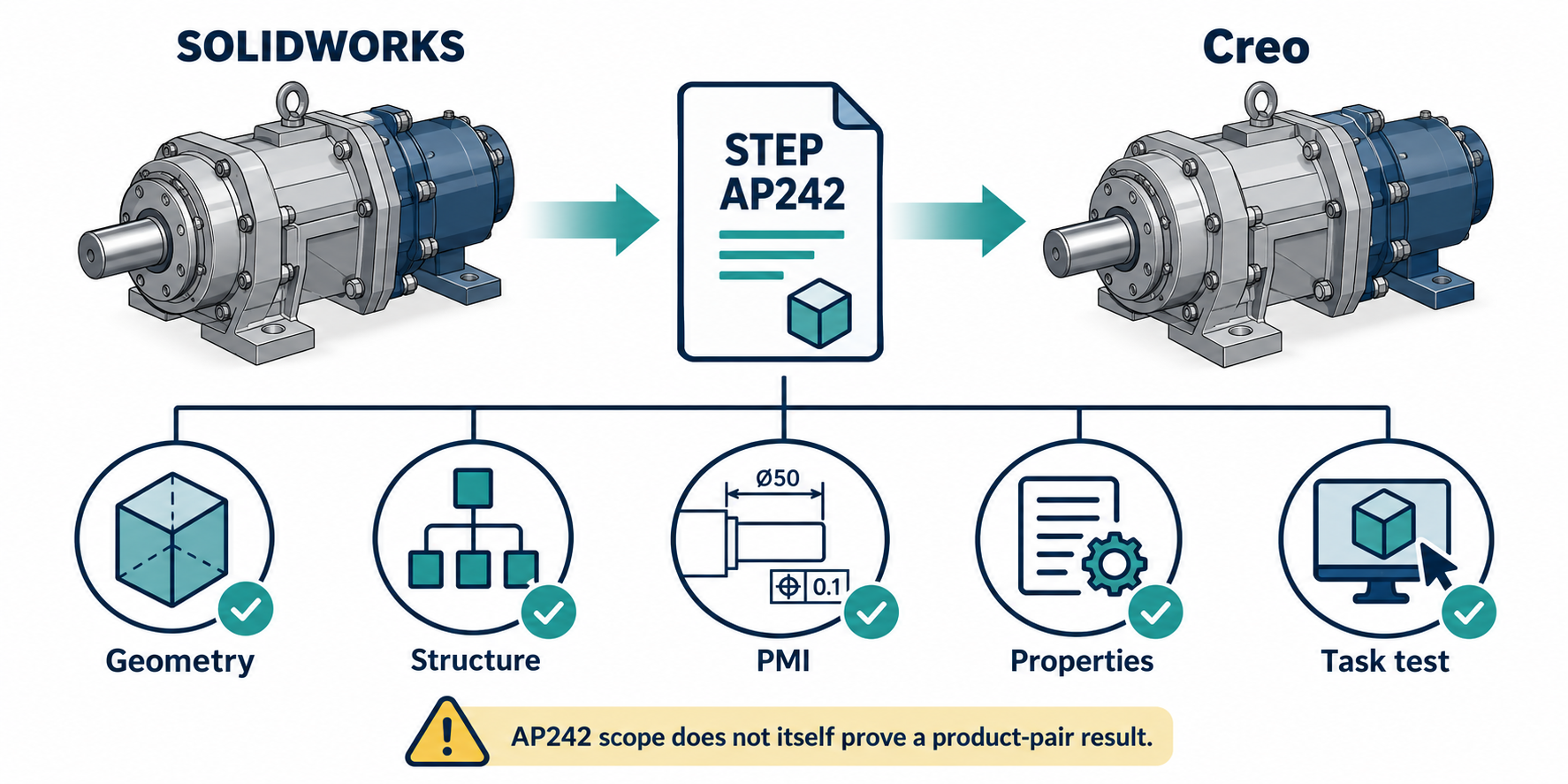
Route card
| Field | Bounded route definition |
|---|---|
| Source | SOLIDWORKS 2026 part or assembly. Confirm the actual release and model configuration. |
| Mechanism | STEP AP242 export followed by STEP import. |
| Direction | One-way SOLIDWORKS → Creo unless a return route is separately tested. |
| Destination | Creo Parametric 13 release, import mode, profile, and multibody option must be recorded. |
| Candidate purpose | Identify usable geometry, assembly structure, and a declared set of annotations or PMI in Creo. |
| Not assumed | Native SOLIDWORKS feature history, complete semantic PMI, custom-property mapping, or round-trip editability. |
This card is intentionally a testable route definition, not a declaration that every SOLIDWORKS model will produce the same Creo result.
What AP242 establishes—and what it does not
ISO’s public description of ISO 10303-242:2025 Edition 4 covers managed model-based 3D engineering. Its scope includes mechanical geometry, assembly and mating information, product-data management, configuration and change data, PMI, drawings, tolerances, quality and inspection information, and long-term archiving and retrieval. The listed geometry scope is broad, including boundary, faceted, constructive-solid, parametric/constrained, tessellated, scan, and other model types.
That is the scope of an application protocol. It does not prove that a SOLIDWORKS exporter emits every scope item, that a particular AP242 edition is selected, or that Creo imports and exposes each entity for the required task. Treat the protocol as a representation hypothesis that still needs implementation and acceptance evidence.
Configure the SOLIDWORKS side
SOLIDWORKS 2026 documents STEP AP242 export for parts and assemblies. The Publish to STEP242 controls expose Editions 1.0, 2.0, and 3.0. The documentation describes these editions progressively: Edition 1.0 provides a foundation for complex 3D models, assembly relationships, and PMI; Edition 2.0 adds tessellated models, additive setup data, semantic tolerances, and more hole-feature types; Edition 3.0 expands presentation, feature-management, and model-associativity definitions.
Record the edition actually selected. Also record whether the export uses the local file-export route or the documented 3DEXPERIENCE sharing workflow. The export controls include choices for selected custom properties, splitting periodic faces, and exporting face and edge properties. Those are settings to preserve in the route record, not proof that Creo maps the resulting data as desired.
The separate 3DEXPERIENCE sharing guidance states that the SOLIDWORKS MBD add-in and a stand-alone license are required for that sharing workflow. Do not generalize that condition to every local STEP242 export. Confirm the entitlement and path used by the project.
Check the Creo side
PTC’s Creo Parametric 13 documentation covers AP203, AP214, and AP242 import in Creo Part or Assembly mode. It states that STEP entities in Conformance Class 5 can be skipped while other data is imported. That is an important route limitation: a file can produce a result while a required class of information is absent.
The page also documents several destination behaviors:
- a STEP file with multiple solids in one part and no explicit assembly structure is imported as an assembly, with each solid becoming a separate part;
- solid-exported STEP can be transformed from quilts to a solid on import, while a surface-only file remains quilts unless the required surface topology permits a solid to be created;
- AP242 graphical PMI representations are supported for parts and assemblies, but this is not a claim of complete semantic PMI preservation;
- material name and density, user-defined parameters, STEP groups, graphical and semantic annotations, and combined states are among the documented imported data classes;
- STEP groups are imported as layers and annotation layers can be preserved, while cross-sections and simplified-representation designations are not supported; and
- import profiles are available and import logs are generated in the working directory.
These statements are useful acceptance targets and limitations. They do not identify the AP242 edition emitted by SOLIDWORKS, provide field-by-field mapping, or establish a SOLIDWORKS-to-Creo test result.
Preservation map for a real test
Do not validate only that the file opens. Select the layers required by the receiving task.
| Layer | Test question | Evidence to record |
|---|---|---|
| Geometry/topology | Do the critical solids, faces, holes, and mating interfaces support the receiving operation? | Source and received measurements, topology diagnostics, and the tested operation. |
| Structure/identity | Are required components, instances, quantities, configurations, and identifiers still distinguishable? | Source-versus-received tree comparison, including the multiple-solid case if relevant. |
| Destination structure | Does the selected Part or Assembly mode produce the structure the receiving task expects? | Record whether the multibody option was selected and compare component/body relationships. |
| PMI/annotations | Are the named annotations present in the required representation and location? | Inspect graphical and semantic expectations separately; record skipped entities and layers. |
| Properties | Do the selected material, parameter, custom, or face/edge properties arrive in a usable destination field? | Compare only named properties with an agreed mapping or acceptance rule. |
| Editability | Can the receiving engineer perform the declared edit? | Test the specific operation; do not equate imported base geometry with source feature history. |
| Diagnostics | Did the receiver report skipped, unresolved, or unsupported data? | Preserve the Creo import profile and generated log with the acceptance record. |
Make receiver validation repeatable
Creo Parametric 13 lets the receiving team customize Import Validation Settings for imports, Creo Unite opens, associative topology bus updates, and regeneration. The controls include tolerances for volume, surface area, and center-of-gravity checks; severity for validation or model failures; and a warning status for a validation property that is missing after an update or regeneration.
When the same diagnostic configuration must be reused, PTC documents saving the customized settings in a config.val file and loading it in later sessions. Record that file and the Creo context used for the exchange. Choose tolerances and severity for the model and receiving task; PTC does not prescribe a universal threshold. A configured status reports import-integrity checks and does not, by itself, establish that the model is fit for editing, manufacture, coordination, or approval.
Minimal reproducible acceptance test
- Freeze the actual SOLIDWORKS and Creo releases, model configuration, units, and coordinates.
- Select the AP242 edition and export options. Record the local or 3DEXPERIENCE path and any required license or add-in.
- Use a representative part or assembly that contains the geometry, component relationships, and annotations the recipient really needs.
- Import into the declared Creo mode with a named profile. For an assembly, record the selected multibody-structure option. Save the import log.
- Compare source and destination structure, geometry properties, layers, annotations, and selected properties.
- Perform the downstream task in Creo—for example, identify a component, inspect a PMI item, or make the specific permitted edit.
- Accept only the checked scope. Record exclusions such as feature history, unsupported cross-sections, simplified representations, untested custom properties, or unverified round-trip behavior.
If the AP242 edition/profile mapping is unknown or the receiving task depends on skipped entities, the correct state is “not established for this purpose.” Resolve the route with a controlled test or narrow the deliverable rather than silently assuming that the protocol label fills the gap.
Alternatives and limits
If continued source updates matter, compare this one-way neutral handoff with a reference or direct route that has a documented update relationship. If the receiver needs only a supplier inspection, a narrower accepted representation may be sufficient. If it needs native feature editing, require an explicit edit test or choose a route with evidence for that operation.
No current evidence establishes a specific SOLIDWORKS 2026 → Creo Parametric 13 paired result, shared AP242 edition/settings combination, complete field mapping, or received-task result for this route. The route is therefore a useful test plan, not a preservation guarantee.
Key points
- AP242’s broad standard scope does not prove exporter or importer coverage.
- Record the SOLIDWORKS edition/options and Creo release/profile separately.
- Skipped entities, destination structure changes, graphical PMI limits, and import logs belong in acceptance evidence.
- Accept the tested mechanical task, not the STEP label.