Reducing a usable mesh is a preparation decision. The goal may be lower memory use, faster interaction, or a receiver-specific face limit, while retaining the parts of the surface and payload needed for the task. A smaller file or lower face count does not by itself establish geometric fidelity.
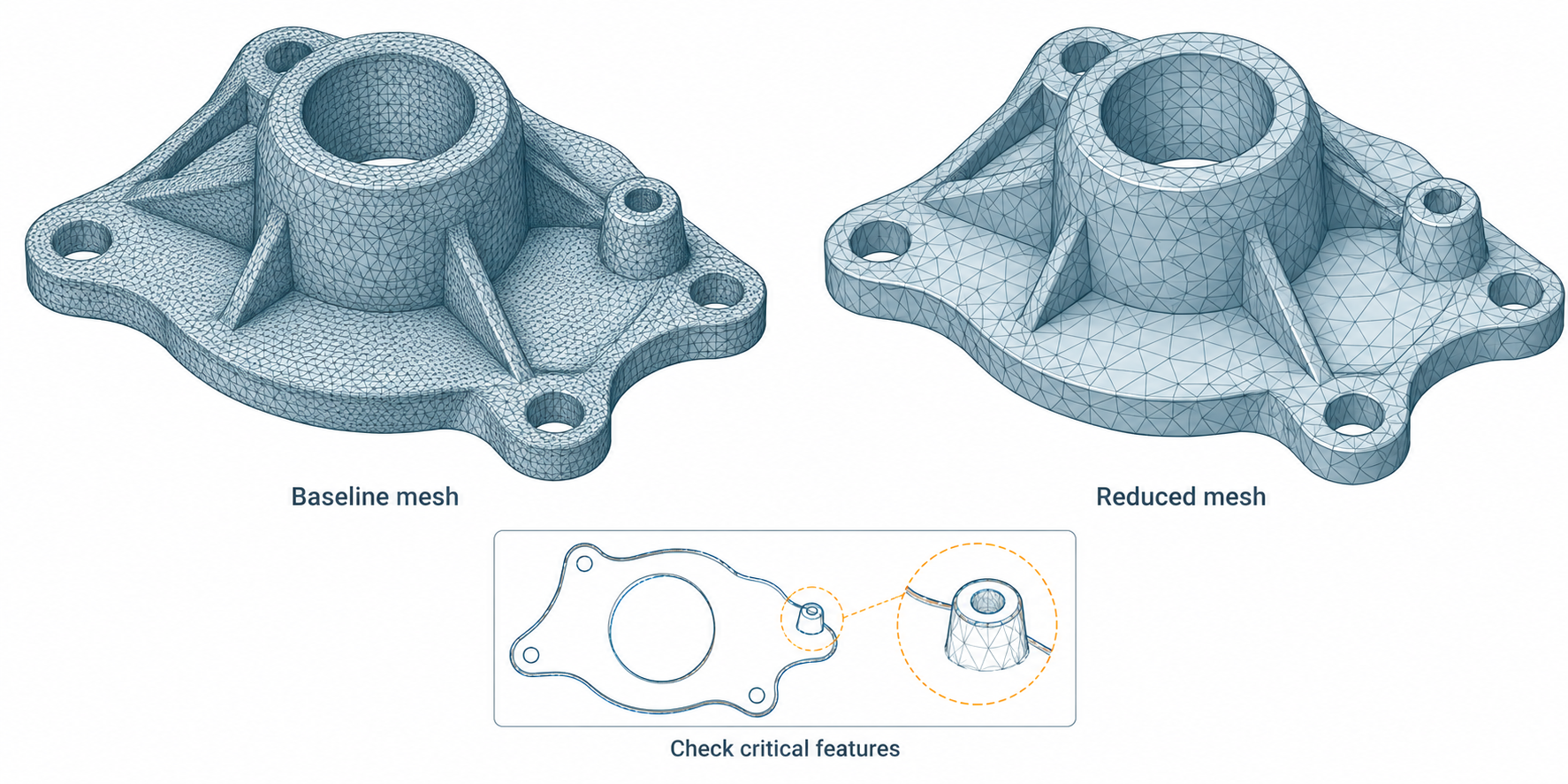
This is different from tessellation, which converts a source surface to a mesh; repair, which addresses a diagnosed defect; and compression, which changes storage or encoding. A remeshing operation can change connectivity and geometry even when it starts from a healthy mesh.
Set a preservation target before reducing
Keep an unchanged source mesh and record:
- the receiver and operation that require a lighter model;
- the smallest feature, boundary, hole, or clearance that must remain usable;
- required attributes such as UVs, normals, colors, and face or corner data;
- the units, coordinate context, current topology, and any known problem areas;
- how you will compare the result and what limit the task owner accepts.
Choose the preserved features from the intended use. A mesh prepared for a broad visual overview may allow changes that would be unacceptable for fitting, inspection, or a small interface feature.
Count targets and deviation controls answer different questions
| Control | What it asks the operation to do | What still needs checking |
|---|---|---|
| Face, triangle, or vertex count | Stop at or approach a requested size | Achieved geometry change, local feature loss, and whether the requested count was reached |
| Proportion or reduction ratio | Reduce relative to the starting mesh | The output’s actual error and whether the receiver’s size limit is met |
| Operation tolerance | Limit a change according to a tool’s own metric and units | The source/received comparison method and the task’s independent acceptance limit |
| Remesh size or distribution | Reorganize faces for more even or detail-sensitive coverage | New connectivity, boundaries, attributes, and critical-region geometry |
Autodesk Fusion’s Reduce tool illustrates the distinction: it offers a tolerance target, a proportion target, or a face-count target; its Adaptive and Uniform remesh types distribute faces differently. Preview helps evaluate the setting, but the documentation does not make a target or operation tolerance an independent acceptance result.
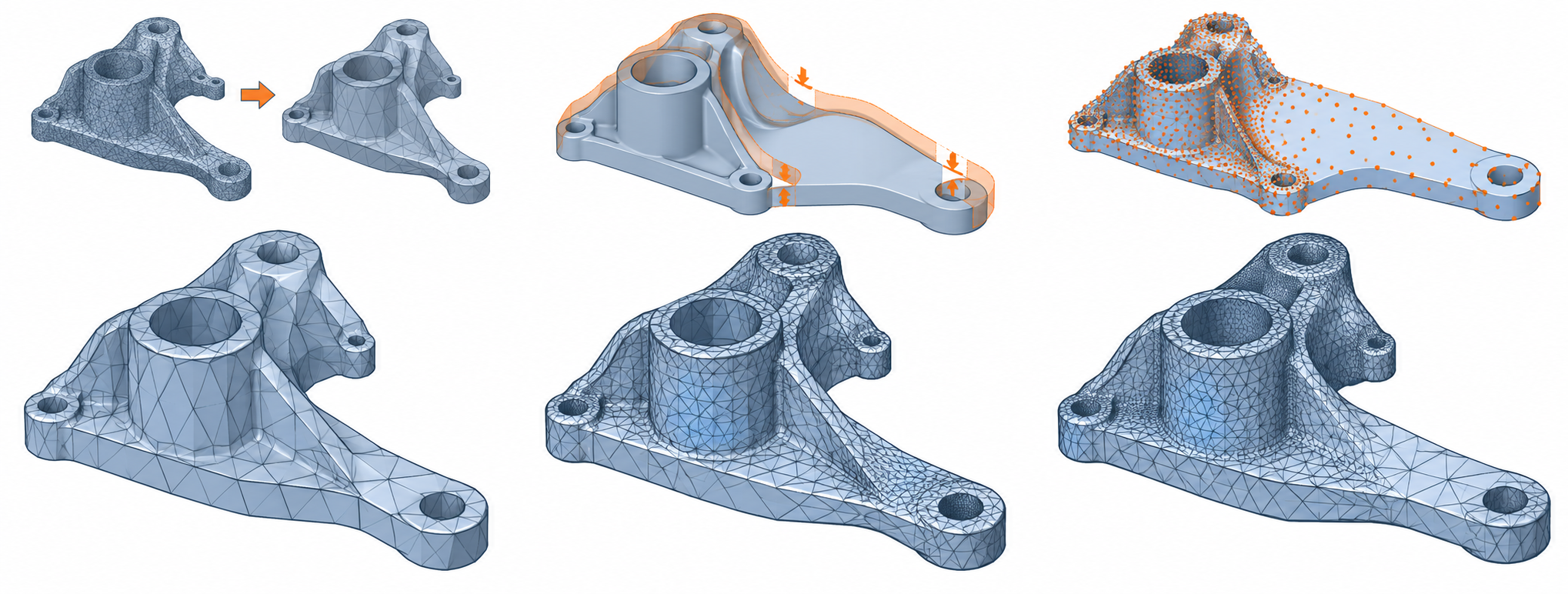
CGAL 6.2.1 provides a different bounded example. Its edge-collapse simplification can preserve marked edges, but their endpoints may still move unless a constrained-placement policy is used. An envelope filter can constrain the simplified surface relative to the input, but its scope and configuration do not automatically provide the symmetric comparison or task acceptance you need.
Protect geometry and payload deliberately
Before and after the operation, check the properties that matter:
- overall scale and orientation;
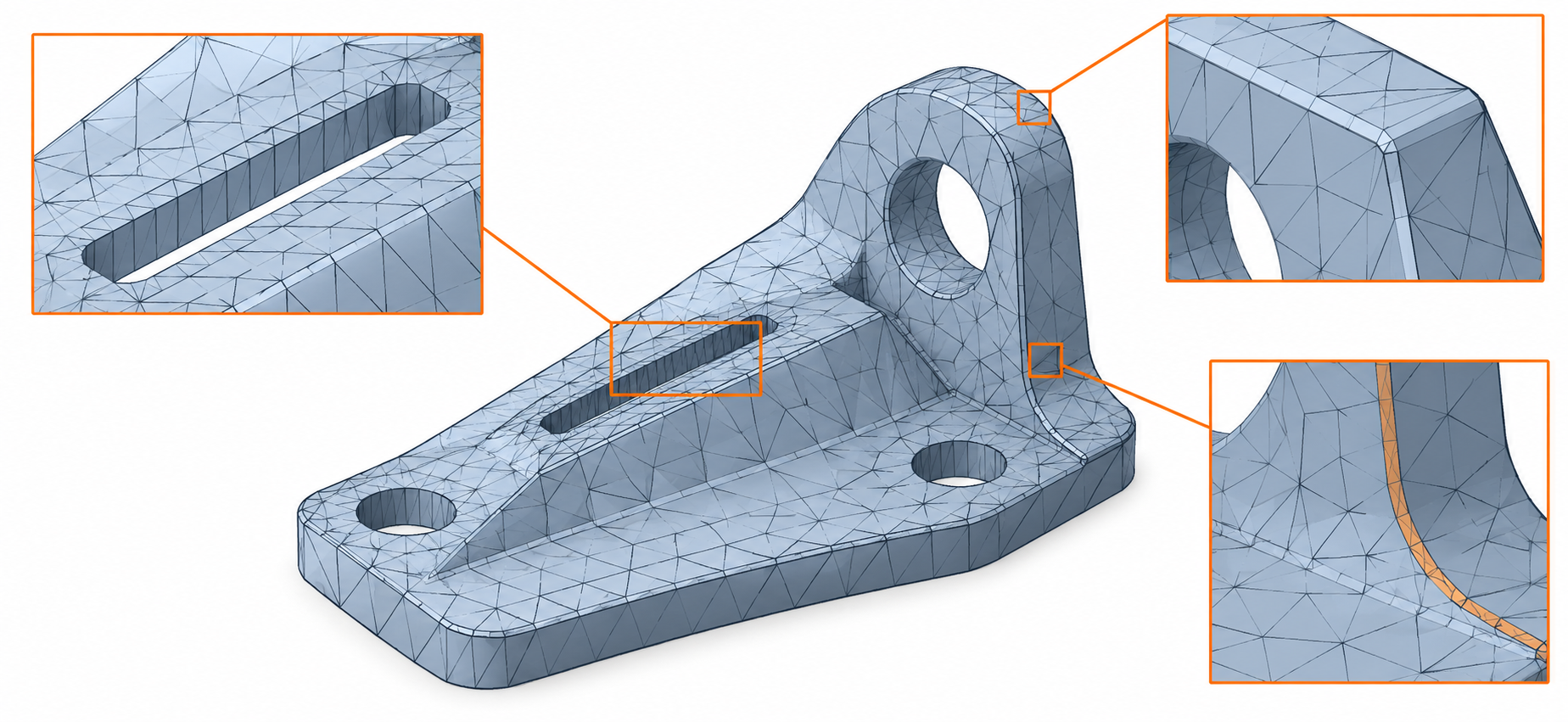
- silhouette, holes, sharp boundaries, thin regions, and local clearances;
- open or non-manifold edges and any operation-specific topology conditions;
- normals, UV seams, colors, and other required vertex, face, or corner attributes;
- the intended downstream operation in the actual receiver.
Do not assume that retaining an edge freezes its points, that preserving visible appearance retains all attributes, or that regenerated normals match the original payload. Welding, cleanup, reduction, and normal rebuilding can have different effects. If the receiver needs specific attribute domains, inspect them as described in mesh fidelity.
Use a controlled before-and-after process
- Save the baseline. Keep the original mesh and record its source, units, dimensions, topology, and required attributes.
- Set the task limit. Agree the receiver operation, protected features, comparison method, and acceptable change before selecting a count or tolerance.
- Choose the smallest suitable change. Use a local constraint or simpler remesh only when it serves the stated need; record product/library version and settings.
- Inspect the output. Compare geometry with an appropriate alignment, direction, sample population, and uncertainty treatment. Check critical features and attributes separately.
- Test the receiver. Confirm the reduced mesh supports the named operation and record any exclusions or changed data.
- Retain both versions. The reduced deliverable should not silently replace the source needed for later measurement, refinement, or recovery.
A count target, colored deviation display, or successful operation does not establish a universal tolerance. For comparison design, see validate a geometry handoff; if the input is defective rather than too heavy, see geometry repair after translation.
Limits
There is no universal face count, reduction ratio, or acceptable shape change for every recipient. Fusion’s documented tolerance is an operation control, and CGAL’s constraints and envelope filters are library mechanisms. Verify the reduced result with the actual input, settings, receiver, required features, attributes, and task-specific acceptance criteria.