Triangle count is only one part of mesh fidelity. A receiving task may depend on vertex positions, triangle indices, primitive topology, normals, tangents, texture coordinates, colors, or application-specific attributes. Each can be present, omitted, regenerated, or interpreted differently.
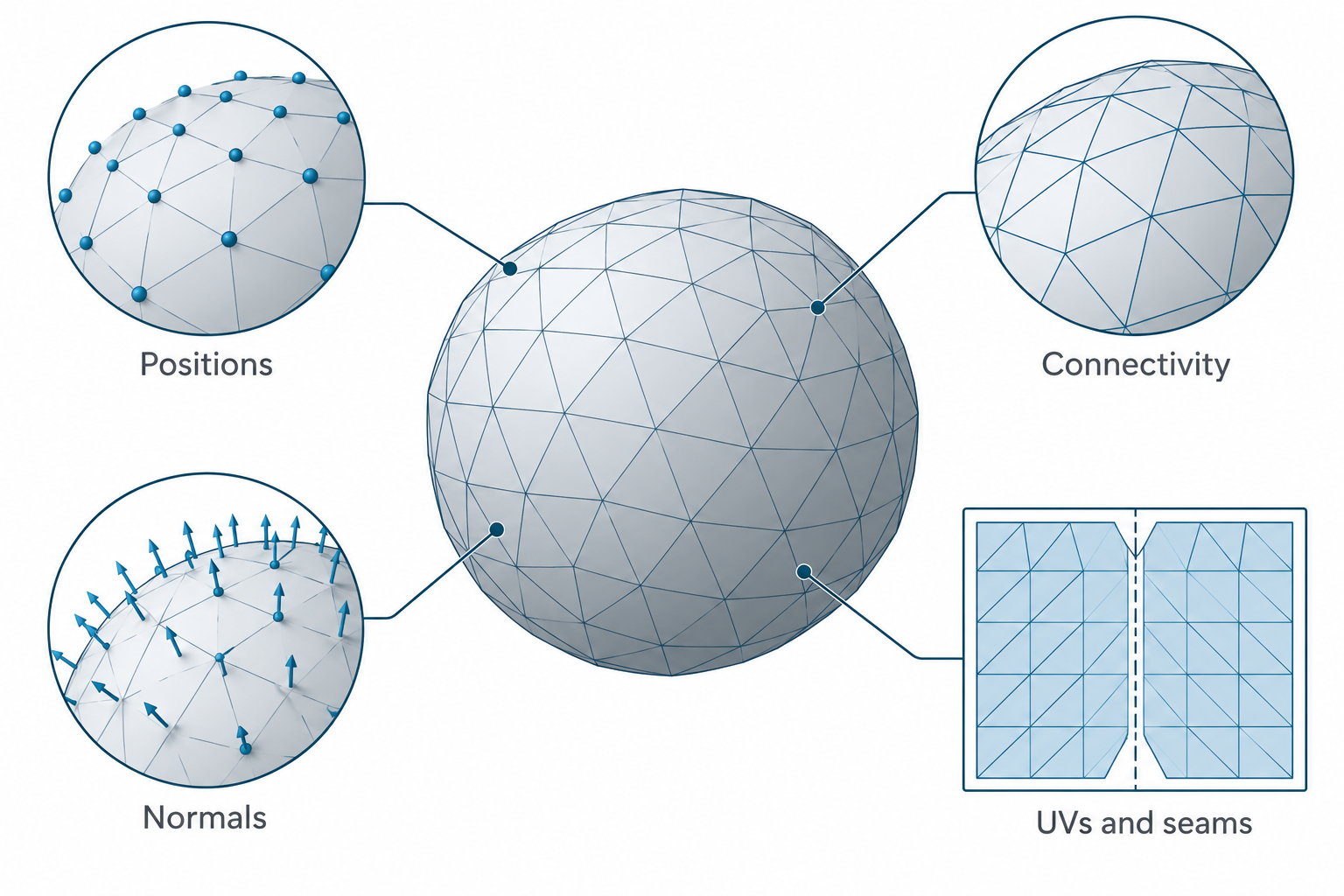
Inventory the payload
The glTF 2.0.1 specification is a useful reference because it names core mesh attributes and defines fallback behavior for conforming clients. Its scope is runtime asset delivery, not CAD authoring.
| Payload element | Question to ask | Why it can change the result |
|---|---|---|
| Positions | Are the XYZ coordinates present, complete, and scaled as intended? | They define the vertex locations; glTF’s coordinate convention uses meters, while the accessor table describes POSITION values as unitless rather than as a CAD unit declaration |
| Indices and topology mode | Are vertices indexed as expected, and does the primitive use triangles, strips, lines, or points? | The same positions can produce a different surface when connectivity or primitive mode changes |
| Normals | Are source normals present, oriented correctly, and appropriate for the receiving shading or analysis task? | If omitted in glTF, a client must calculate flat normals; that is regeneration, not source-normal preservation |
| Tangents | Are tangent vectors and handedness present, and do they match the UVs and normal map? | Missing tangents may be regenerated under a client’s rules, changing shading at seams |
| Texture coordinates | Are the required UV sets present and associated with the right texture inputs? | A mesh can keep its shape while losing texture placement; scene materials and texture files are a separate concern |
| Vertex colors and other attributes | Are colors or application-specific attributes required by the destination? | Format support does not prove that a particular receiver consumes a custom attribute |
| Degenerates and intersections | Are zero-area triangles, duplicate elements, or self-intersections present? | They can cause unstable normals, invalid volume, or receiver-specific failures |
Attribute domains and seams
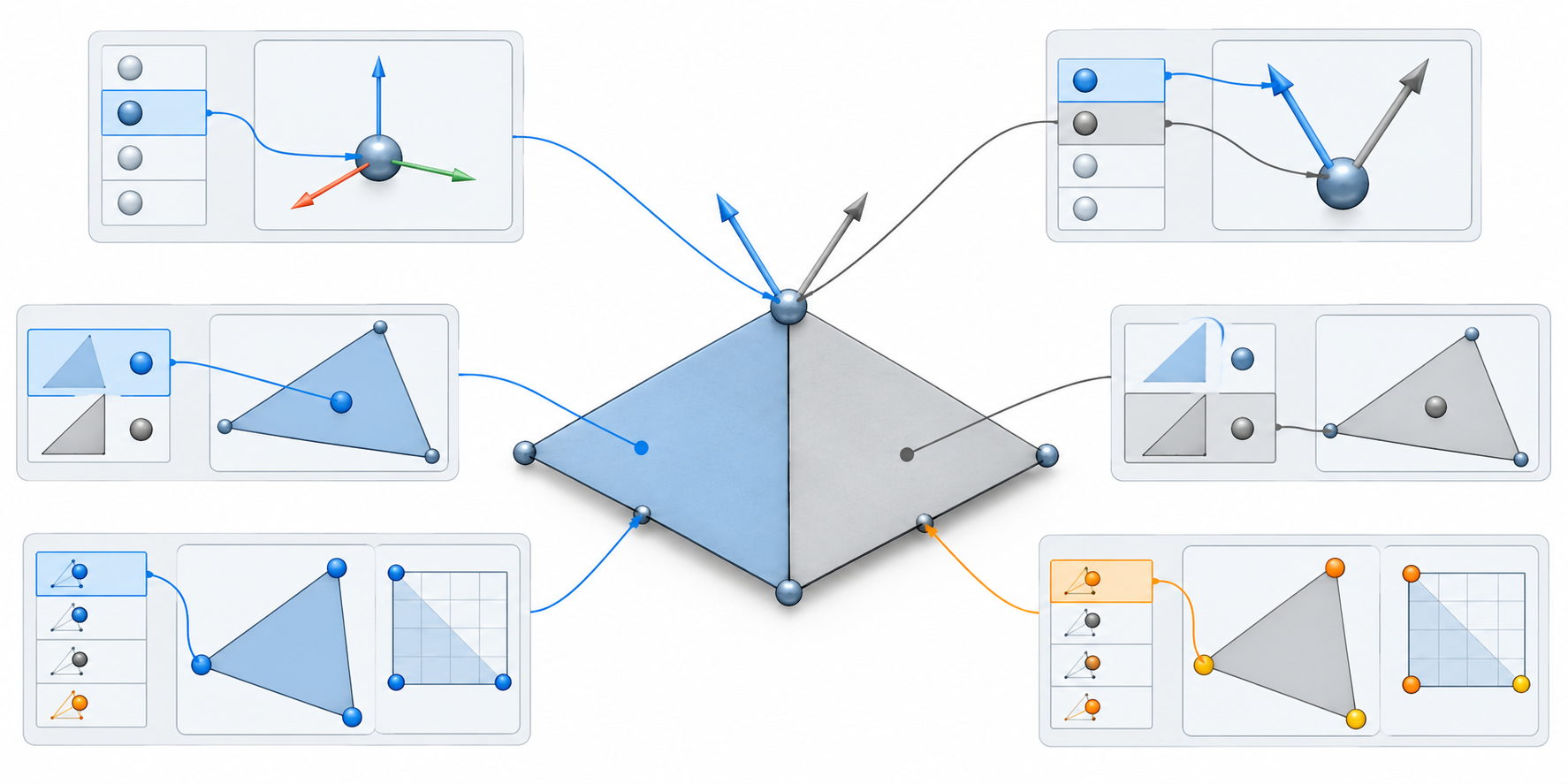
Attribute values need their association and interpolation rules as well as their names. In OpenUSD, mesh primvars can be constant per mesh, uniform per face, varying or vertex-associated per point, or face-varying per face-vertex. A face-varying UV can hold different values on the two sides of a shared geometric point, creating a seam without splitting that point. Indexed primvars store a separate index array that maps topology positions to value entries, so compare both arrays and the interpolation metadata.
These distinctions matter when a mesh is subdivided or rebuilt. The rules describe OpenUSD semantics; they do not establish a mapping to another format or say that a particular receiver uses the values. For subdivision-specific control and evaluation choices, see subdivision surfaces and evaluated meshes.
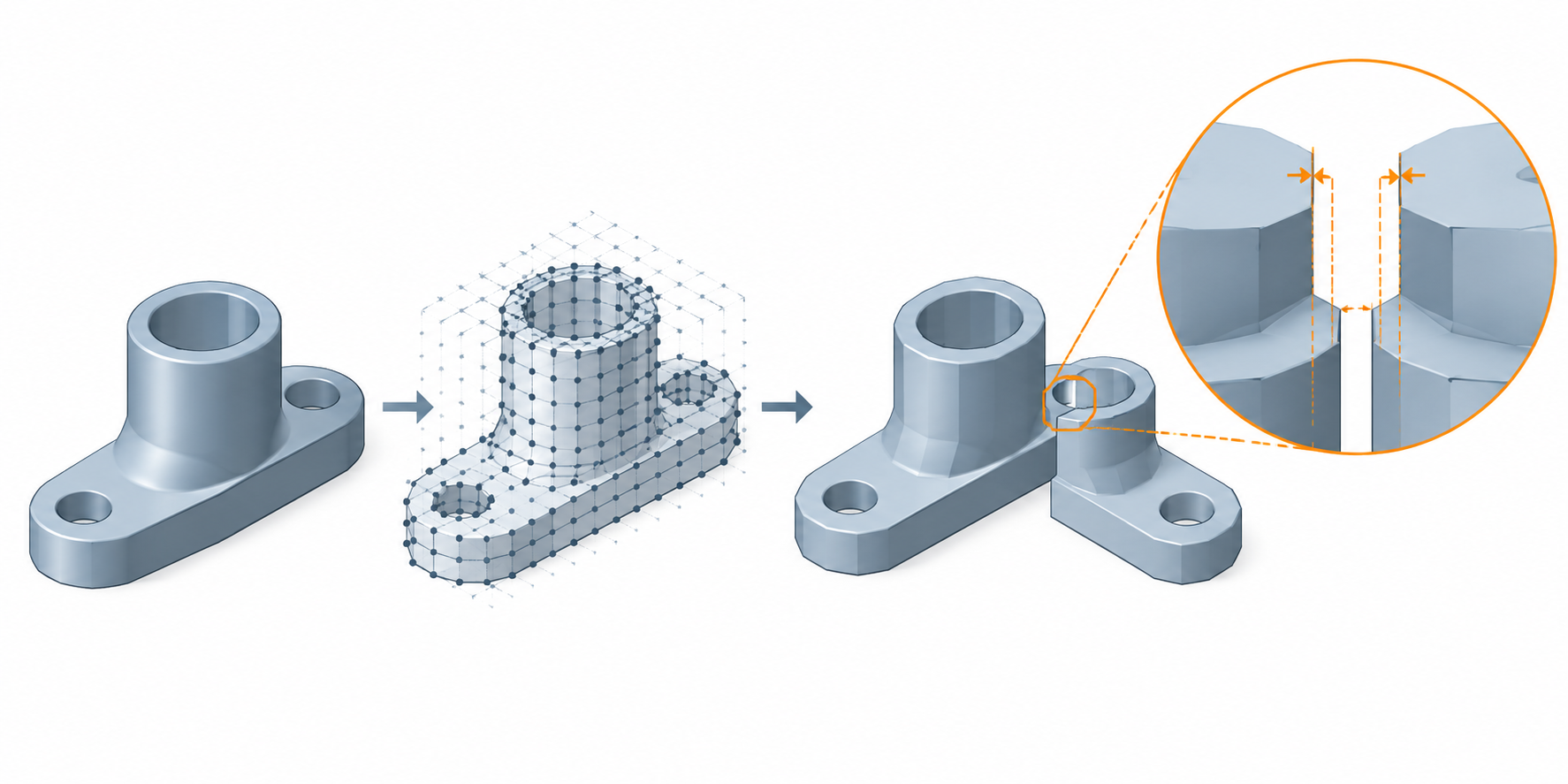
Some glTF assets use KHR_mesh_quantization to store positions as integers. An asset using this extension must declare it as required, so check that the receiving client supports it and applies the dequantization transform before relying on the reconstructed coordinates. Per-mesh quantization ranges can reduce error for each mesh but may create visible gaps between separately encoded parts; a shared range can reduce those gaps while increasing quantization error. The extension defines no task-specific accuracy threshold. Verify the received dimensions against a known-size reference.
Normals and tangents are not geometry
Normals describe how a surface is oriented for shading or related calculations; they do not restore a missing CAD surface. In glTF 2.0.1, a primitive without normals requires the client to calculate flat normals, and provided tangents are ignored in that fallback case. If tangents are absent, the client should calculate them using the default MikkTSpace inputs when the required positions, normals, and normal-texture UVs are available.
These rules describe a conforming glTF client’s fallback behavior. They do not establish that a CAD exporter wrote correct normals, that a particular importer retained them, or that a regenerated tangent basis matches the source application. If appearance at seams matters, compare the actual received render and record whether attributes were transferred or regenerated.
The specification also says mesh geometry should not contain degenerate lines or triangles. Treat this as a format-quality recommendation and inspect the receiving implementation’s behavior; it is not a universal CAD validity rule.
Manufacturing-oriented mesh conditions are different
The 3MF Core 1.4.0 specification defines vertices and triangles in a manufacturing-oriented package. For model and solidsupport objects, it requires manifold edges, consistent triangle orientation, and outward-facing normals. It recommends minimizing self-intersections and zero-area triangles. Other object types, including support and surface, may have different conditions.
Do not copy these rules into a general display-mesh checklist without preserving their object and version scope. Also inspect package completeness and required extensions: a mesh can satisfy local triangle conditions while the receiving application lacks a required extension or the supporting part needed for the process.
Preflight is not a preservation test
The official Khronos glTF-Validator provides a useful format-level preflight. It checks items such as JSON and GLB structure, schema properties, internal references, buffers, accessor bounds, images, and selected extensions, and it can validate referenced resources while producing a JSON report. A zero-error result means those implemented glTF checks passed; it does not show that a CAD exporter preserved exact geometry or that a viewer, engine, fabricator, or measurement workflow uses the asset as intended.
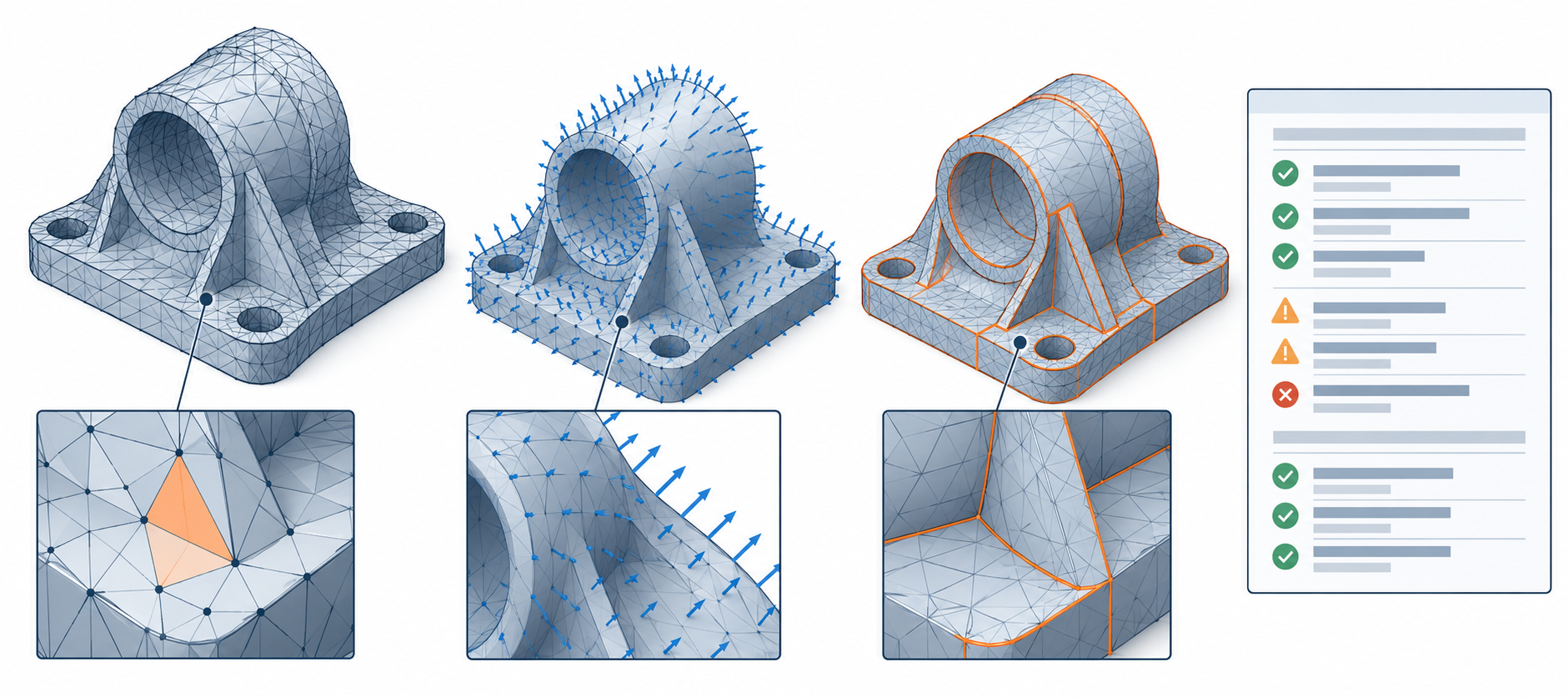
The official lib3mf API provides a similarly bounded check for 3MF objects. model and solidsupport objects are valid only when their meshes satisfy the Core 4.1 requirements; support and surface objects have a true object-level result in this API, which is not a declaration that a printable model is valid. Check the package, object type, required extensions, and receiving process separately.
Resolution is an error and performance decision
More triangles can reduce visible faceting, but density alone does not say how close a mesh is to the source surface. Set resolution against the smallest feature, allowable deviation, expected viewing distance or process, and receiver performance. For a measurement or fabrication task, define an error measure and acceptance method; for a visual task, define the visual defect that matters.
There is no universal triangle count or tessellation setting that works for CAD review, rendering, printing, and inspection at once. A high-density mesh can still be incorrectly scaled, poorly oriented, or missing the attribute a receiver needs. A low-density mesh can be adequate for a bounded display purpose when its visible and geometric error is acceptable.
Preflight and received-mesh inspection
Before export, record:
- the intended task and smallest important feature;
- the source units and scale interpretation;
- the representation version and extensions;
- the tessellation or simplification settings and any stated error bound;
- required attributes, UV sets, colors, and material dependencies;
- whether closure, orientation, or non-manifold checks apply.
After import, inspect:
- bounding-box dimensions and a known-size reference;
- vertex and triangle counts, primitive modes, and index ranges;
- presence versus regeneration of normals and tangents;
- UV set names, ranges, seams, and texture-coordinate orientation;
- degenerate, duplicate, self-intersecting, open, or non-manifold elements;
- the task-specific result, such as shading, slicing, measurement, or a controlled downstream operation.
If the mesh was reduced, welded, rebuilt, or had normals regenerated, compare the required attributes and geometry before accepting it. Those operations can preserve shape while changing seams or values, or preserve some data while changing the surface; see mesh reduction and remeshing for a controlled before-and-after method.
Keep a source copy before any repair. If the mesh fails closure, orientation, or other health checks, see topology and model health and geometry repair after translation. For precision and units, see tolerances, units, and tessellation settings.
Sources and limits
glTF attributes and fallbacks apply to glTF 2.0.1 core semantics and conforming clients; quantized attributes follow the separately declared KHR_mesh_quantization extension. Its storage and decoding rules do not establish a CAD-accuracy threshold or consumer support. 3MF mesh conditions apply to the specified object types in Core 1.4.0. Autodesk Fusion’s repair diagnostics are a mesh-body example, not a general mesh-conformance or manufacturing-acceptance test.