Before transferring a subdivision model, decide what the receiver needs: the control cage and its evaluation rules, a polygon mesh evaluated from the intended surface, or both. A dense mesh is not automatically the same surface as a refined subdivision cage.
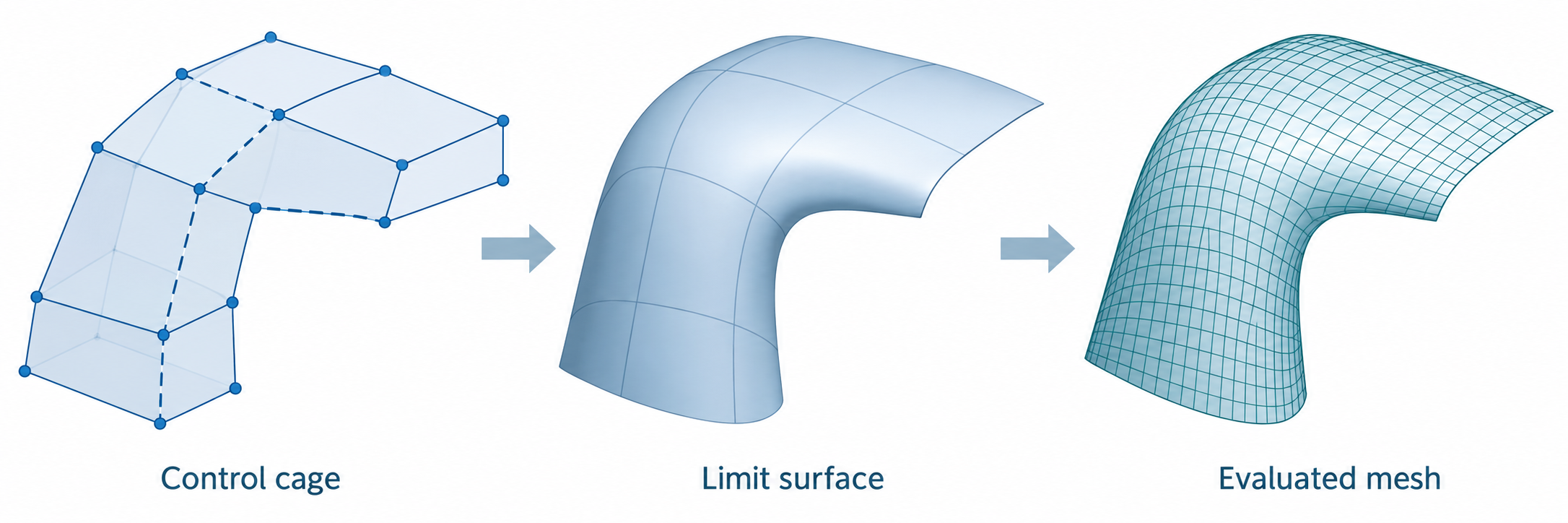
Three different objects
- Control cage: The authored points and face connectivity, together with the rules that define how the surface is evaluated. Depending on the representation, those rules can include the subdivision scheme, creases, sharp corners, boundaries, holes, and face-varying interpolation.
- Limit surface: The smooth surface defined by the cage and its evaluation rules. It is not generally the same geometry as the finite cage.
- Evaluated mesh: A polygonal approximation produced by sampling or tessellating the intended surface at a chosen resolution. Its density and error must be checked for the receiving task.
OpenSubdiv distinguishes refining the control cage from tessellating the limit surface. Refinement adds cage points; the new points generally do not lie on the limit surface. Tessellation evaluates points on the surface and connects them. Comparing cage vertices alone can therefore report a difference that does not describe the evaluated shape, while comparing only a viewport mesh can hide which rules produced it.
Check the evaluation rules
The OpenUSD UsdGeomMesh schema is one bounded example. It can describe polygonal meshes and subdivision surfaces with scheme, crease, corner, boundary, hole, and face-varying interpolation fields. Its default subdivision scheme is Catmull-Clark; a polygon mesh intended to remain unsubdivided must declare none. This is OpenUSD schema behavior, not a default that can be assumed for other formats or applications.
For a selected representation, inventory the fields that affect the surface:
- face counts and indices, point positions, and any time-varying topology;
- subdivision scheme and triangle rule, where applicable;
- crease edges and corner sharpness;
- boundary interpolation and hole definitions;
- face-varying values and interpolation for UV seams or other corner data;
- local transforms and units needed to evaluate the geometry in its intended placement.
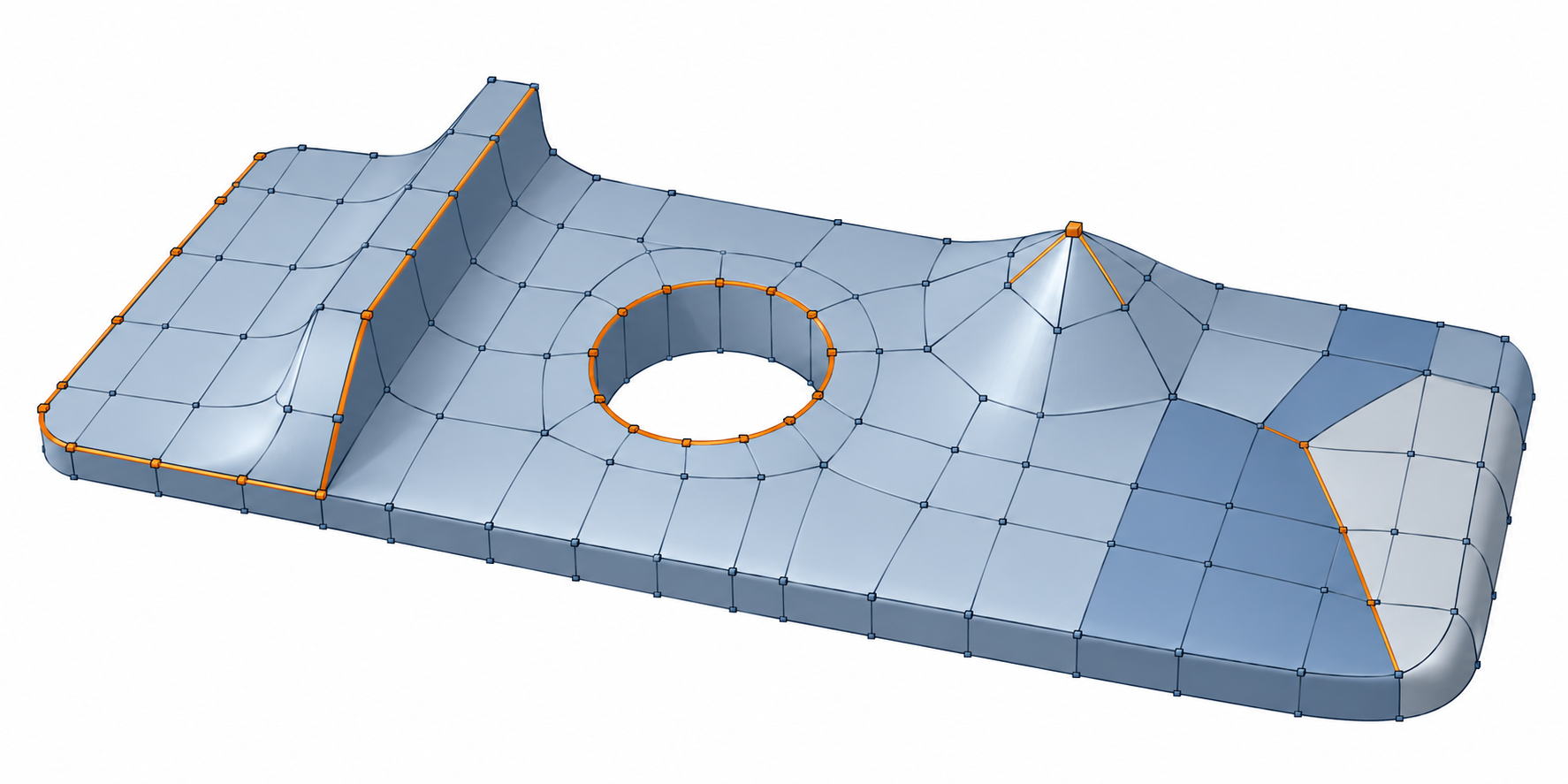
Attribute domains matter alongside the control surface. A face-varying value can differ on each side of a shared point, while an indexed primvar stores value indices separately from its value array. For a mesh payload checklist, see mesh fidelity.
Choose what to deliver
| Receiving need | Candidate deliverable | What to agree and record |
|---|---|---|
| Continue subdivision editing in a receiver that supports the same rules | Control cage plus required evaluation fields | Format/schema version, supported scheme, crease and boundary behavior, attribute domains, units, and receiver build |
| Use a polygon-only receiver or a fixed evaluated shape | Mesh evaluated from the intended limit surface | Evaluation method or level, units/transforms, retained attributes, and the comparison limit for critical regions |
| Preserve both control and a predictable visual/analysis result | Cage plus a separately identified evaluated mesh | Which object is authoritative for editing and which is used for comparison or downstream work |
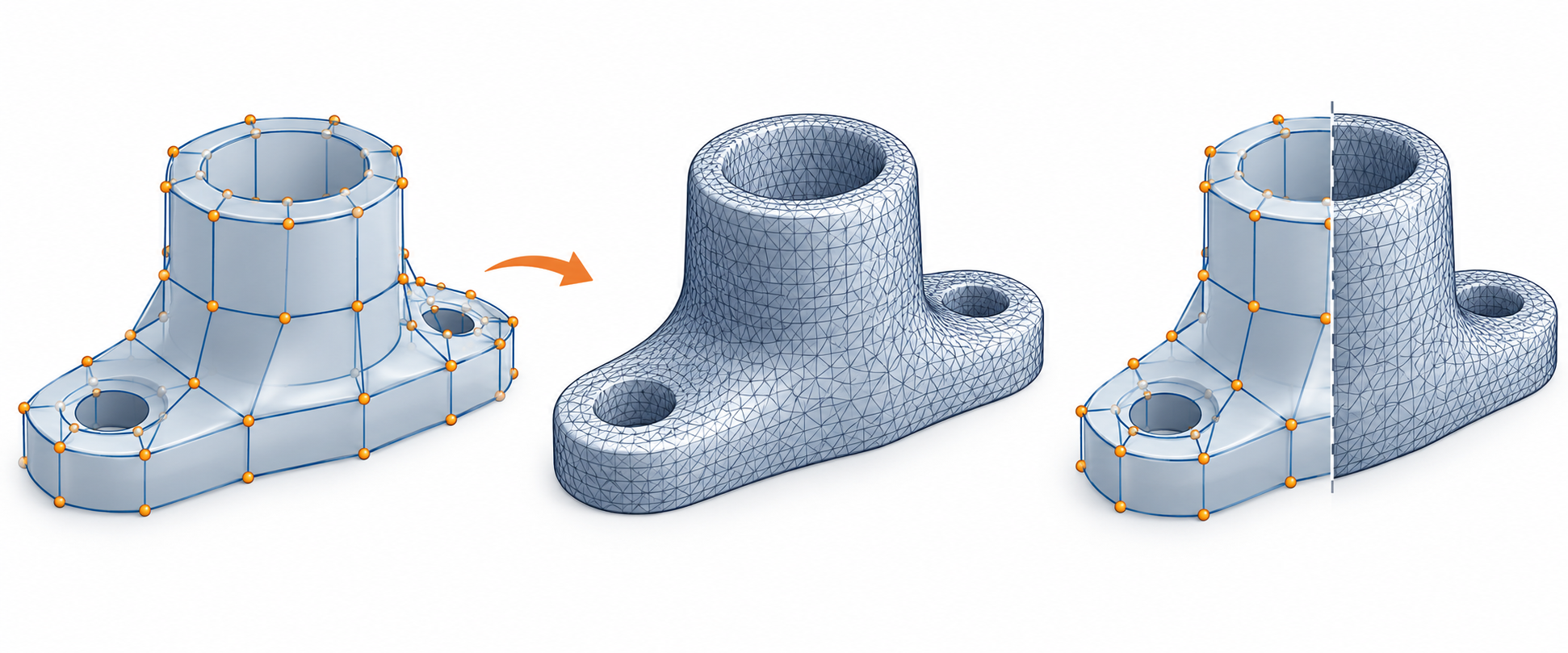
Do not assume a file label such as “subdivision mesh” proves that the destination supports every field. If receiver support is uncertain, test the actual file and identify whether the receiver preserves the cage, evaluates it, or imports only the polygon data.
Validate the surface, not just the cage
Use a repeatable comparison that names the source evaluation, received object, units, alignment, direction, sample or error method, excluded regions, and task-specific limit. Compare critical edges, creases, openings, and thin features as well as the broad surface. Inspect face-varying attributes separately when seams, colors, or corner data matter.
A schema topology check can establish only its documented structural conditions. For example, OpenUSD’s topology validator checks face-count/index consistency and index range; it does not establish manifoldness, surface continuity, geometric accuracy, or CAD-kernel suitability. Use the receiving operation and an appropriate geometry comparison to decide acceptance. See tolerances and tessellation and geometry handoff validation.
Limits
The cited schema and algorithm references define representation behavior. They do not establish that a particular CAD or DCC exporter and receiver preserve the same rules, or that a baked mesh meets a universal error threshold. No general USD-to-CAD preservation route, bake level, or engineering acceptance limit is established. When those details matter, verify the named applications, versions, settings, and actual transferred model.