Geometry describes shape; topology describes how pieces of that shape are connected and oriented. A transfer can preserve a recognizable outline while losing the connectivity or validity needed by the next operation.
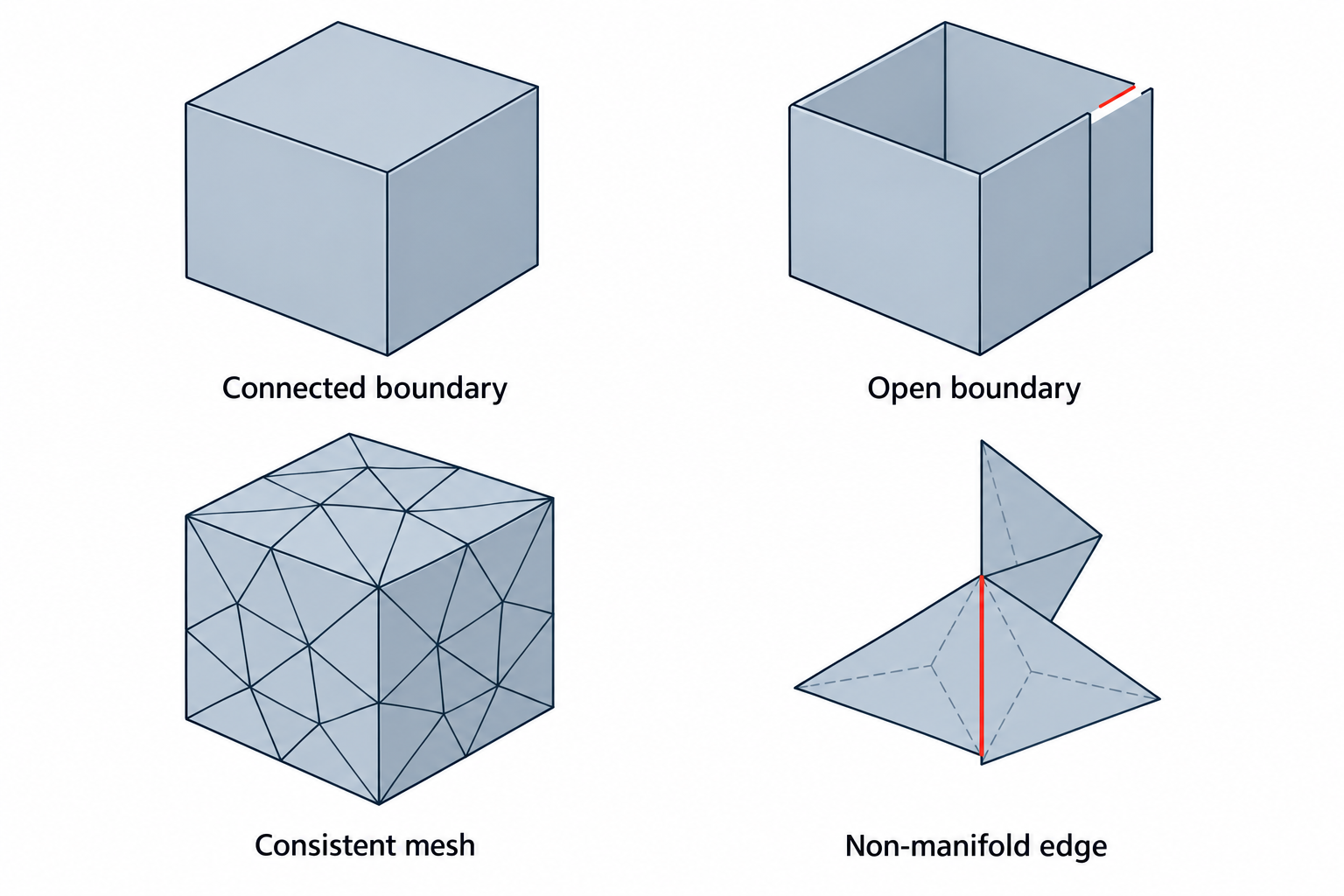
Geometry and topology answer different questions
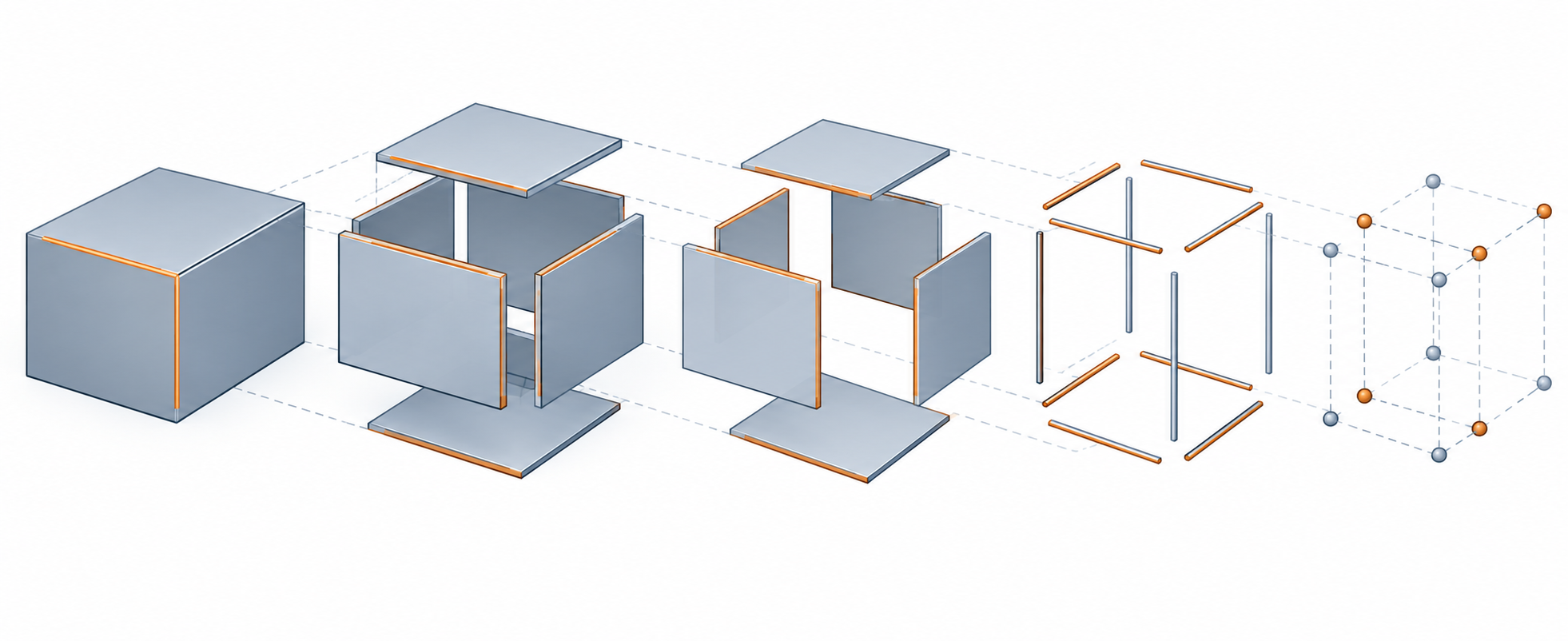
For a boundary-representation model, inspect the hierarchy and relationships that the destination expects:
- Bodies or solids: Is the received object still the intended set of bodies, and does the receiver treat it as a solid rather than a surface or graphics body?
- Shells and faces: Do faces form the expected boundaries, with no unintended gaps or overlaps?
- Edges and wires: Are edge endpoints connected, ordered, and oriented consistently around boundaries?
- Orientation: Do normals or face orientations agree with the outside/inside convention of the receiving representation?
- Tolerances: Are local tolerances and gaps compatible with the receiving kernel’s operations?
For a mesh, use the representation’s own conditions. A display mesh may be renderable even when it is not closed or suitable for volume operations. A 3MF model or solidsupport object has explicit manifold, consistent-orientation, and outward-normal requirements, while other 3MF object types can have different conditions. Do not apply one format’s rules to every mesh.
Common health failures
The same symptom can have different causes, but these classes are useful starting points:
| Symptom | What to investigate | Why it matters |
|---|---|---|
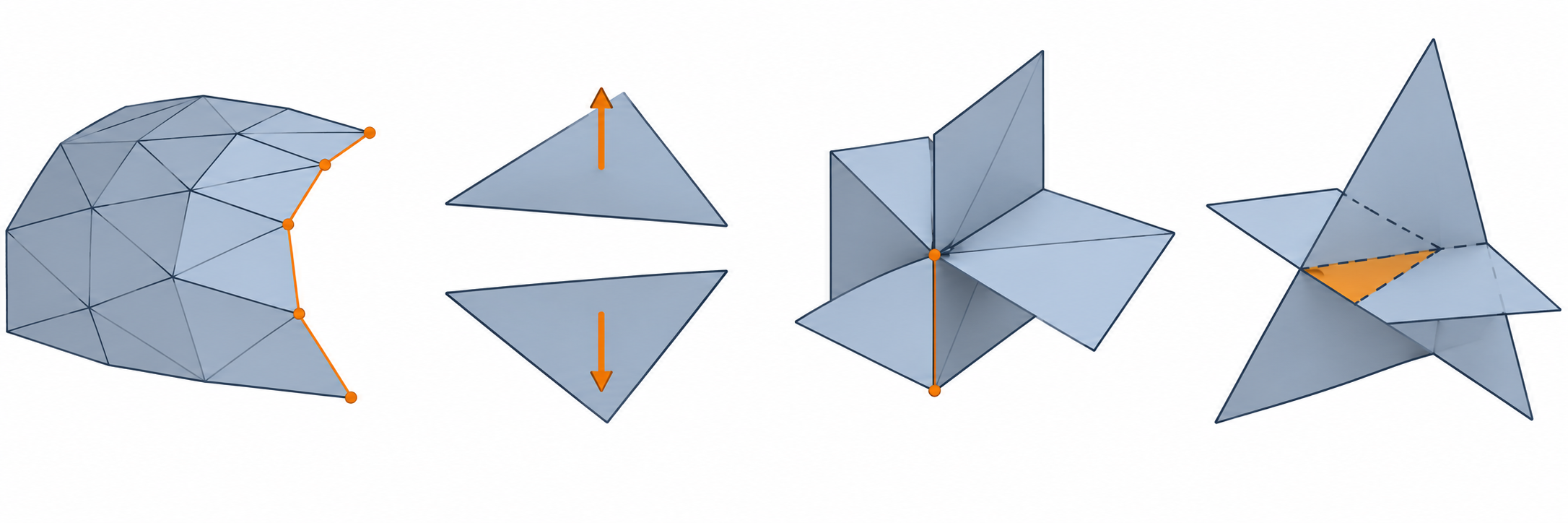
| Open boundary or missing face | Unclosed wire, gap, missing patch, or a representation that is intentionally open | A surface may not support the solid or volume operation you expected |
| Inconsistent edge order or orientation | Boundary ordering, face orientation, or flipped triangles | Algorithms may fail or produce the wrong inside/outside interpretation |
| Non-manifold connection | More than the expected number of faces meeting at an edge or ambiguous junction | The shape may be displayable but unsuitable for a solid or downstream mesh operation |
| Self-intersection or overlapping elements | Intersections between faces, triangles, or objects | Calculated volume, booleans, slicing, or repair can become ambiguous |
| Tolerance inconsistency | Local tolerances, tiny edges, or gaps larger than the receiving operation can accommodate | A kernel can reject or alter the shape even when the deviation is visually small |
| Graphics body instead of usable geometry | The receiver imported a faceted representation for display | Display success does not prove BREP or editable geometry was loaded |
“Watertight” is not a universal acceptance label. It should describe the specific representation and operation being tested, not serve as a guarantee for every kernel or process.
What the diagnostic evidence actually establishes
Open CASCADE’s current Shape Healing documentation separates analysis from fixing. Analysis computes properties and detects violations without changing the shape. Fixing can modify, remove, or create sub-shapes. The documentation names checks such as edge and wire consistency, edge order, face-boundary orientation, shape tolerances, and closed/open wires, but the listed algorithms are not an exhaustive cross-kernel validity standard.
The current OCCT BRepCheck_Analyzer makes that boundary concrete. Its IsValid() result means that no defect was detected under the analyzer’s OCCT criteria, which include selected edge parameterization, closed and non-self-intersecting face wires, shell closure, and orientation conditions. Its status vocabulary includes examples such as free edges, self-intersecting wires, unclosed or disconnected shapes, bad orientation, invalid triangulation polygons, and invalid tolerance values. Use those labels to diagnose an OCCT shape; do not treat them as a universal CAD validity taxonomy or as proof that another kernel will accept the model.
An OpenUSD schema check has a different, narrower boundary. UsdGeomMesh.ValidateTopology checks that face counts agree with the index array and that point indices are in range; the schema does not store adjacency. A passing check does not establish manifoldness, self-intersection freedom, CAD-kernel validity, or suitability for a downstream operation. When a subdivision scheme is present, the scheme and boundary rules also affect the surface the receiver evaluates; see subdivision surfaces and evaluated meshes.
CGAL 6.2.1 exposes a different mesh-scoped vocabulary. Its predicates distinguish whether a polygon soup can be handled as a polygon mesh, whether a triangle mesh bounds a volume, and whether a closed mesh is outward-oriented. Splitting non-manifold vertices can make a mesh combinatorially manifold while leaving the duplicate vertices at the same geometric position. These results describe CGAL’s data model and checks; they do not establish geometric accuracy or fitness for another receiver.
The 3MF Core specification is more specific for its own object types: model and solidsupport meshes require manifold edges, consistent triangle orientation, and outward-facing normals. It recommends minimizing self-intersections and zero-area triangles. Those requirements do not automatically apply to support, surface, or other objects.
The official lib3mf API exposes the same object-type distinction at implementation level. Its IsValid() result checks model and solidsupport meshes against the Core mesh requirements, while the object-level result for support and surface is true by definition. Components are checked recursively, and typed errors can identify invalid models, meshes, build items, resources, or cyclic component references. A clean library result is still only a bounded package/object check, not slicer, printer, or downstream-task acceptance.
Autodesk Fusion provides a bounded mesh-body example. Its Repair tool reports checks such as whether the mesh is closed, oriented, and has positive volume, and its detailed analysis can show issue counts and threshold settings. These labels are useful diagnostics in Fusion’s mesh workflow; they do not prove that the source normals were preserved or that the body is acceptable for a particular manufacturing task.
Rhino 8 makes a similar distinction: Check can report errors in an object’s data structure, but a pass does not rule out every difficult defect, including some folded or self-intersecting surfaces. Its separate MeshRepair workflow exposes categories such as degenerate faces, zero-length edges, duplicate faces, non-manifold edges, inconsistent normals, and disjoint pieces. These are Rhino diagnostics and repair options, not proof of source preservation or downstream acceptance.
Meshing can also introduce boundary gaps during conversion. Rhino 9 documents that its Jagged seams option meshes joined surfaces independently and can leave naked edges; the normal joined-surface path combines coincident vertices along shared edges. Check the received boundaries rather than assuming that a visually continuous source polysurface produced a closed mesh.
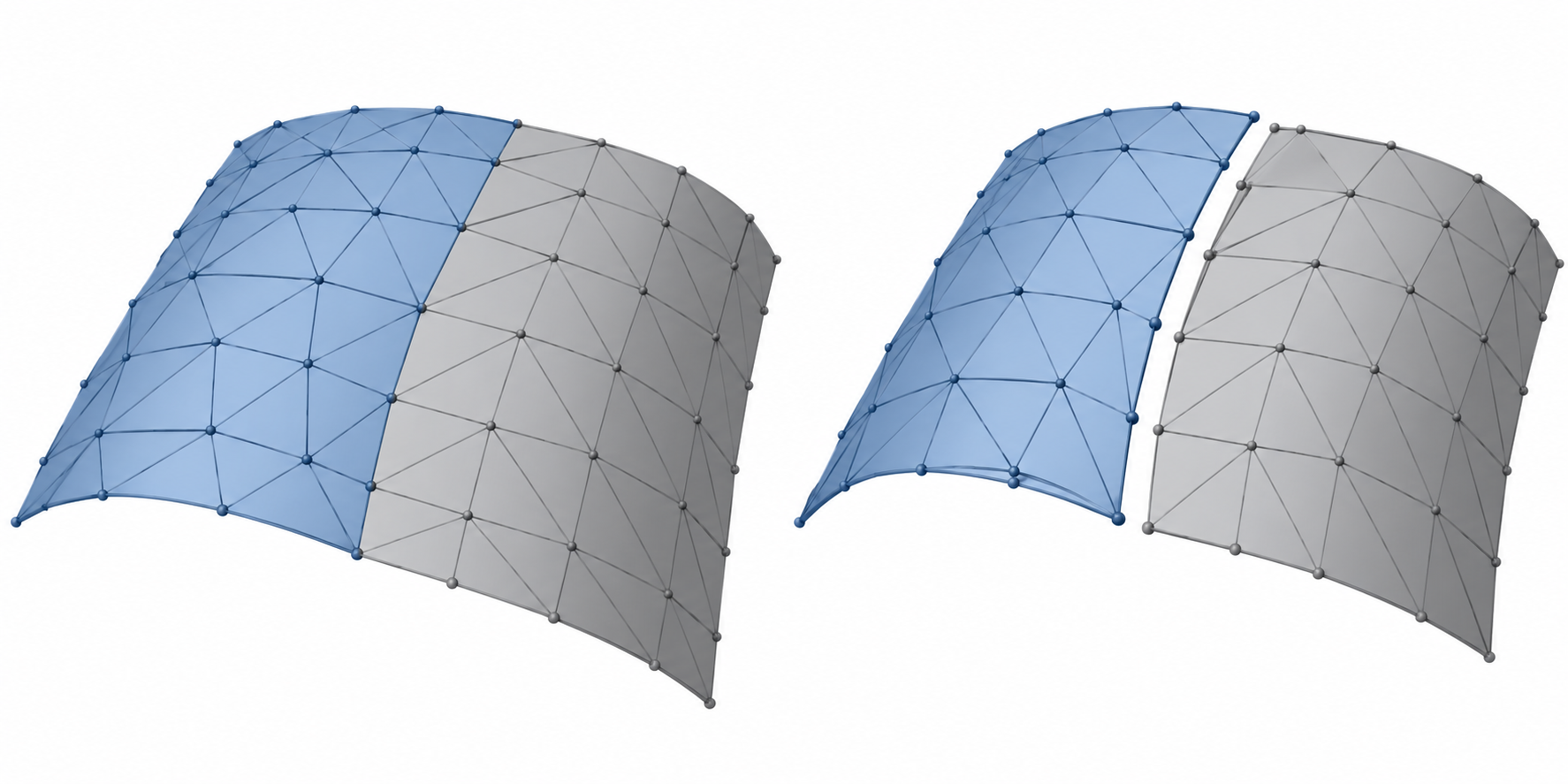
SOLIDWORKS 2025 documents Import Diagnostics options including Heal Gap, Repair Face, Delete Face, and Remove Gap for applicable neutral-file workflows. It also offers an option to load a FACETEDBREP as BREP rather than the default graphics-body result. These are receiver-side options, not a route-wide guarantee.
Inventor 2026 provides another receiver-specific boundary: Find Errors or Quality Check can inspect topology, geometry, and modeling after translation, but its documentation warns that analysis can stop at the first poor-quality surface or solid. A body that cannot be solidified may have gaps or reversed loops even when no other error is reported. Creo Parametric R13 exposes a different path through Import Validation and Import DataDoctor; its Solid node with open quilts diagnostic identifies one-sided edges in bodies that fail solidification. These named checks help locate work in those products and releases, but they are not interchangeable results.
Diagnose before changing the model
Use the original handoff as the comparison baseline. Before repair:
- Preserve the original file and record the source representation, units, version, and import options.
- Identify what the receiving task needs: a closed mesh, a valid solid, a surface set, a boolean-ready body, or another bounded condition.
- Run non-mutating diagnostics where available and save the reported failures.
- Locate the failure class: missing geometry, connectivity, orientation, self-intersection, tolerance, or receiver interpretation.
- Test the smallest meaningful downstream operation, not just the viewer.
If the receiver does not define a validity test, agree one with the owner of the downstream process. A generic checker cannot decide whether a model is fit for machining, printing, inspection, or measurement.
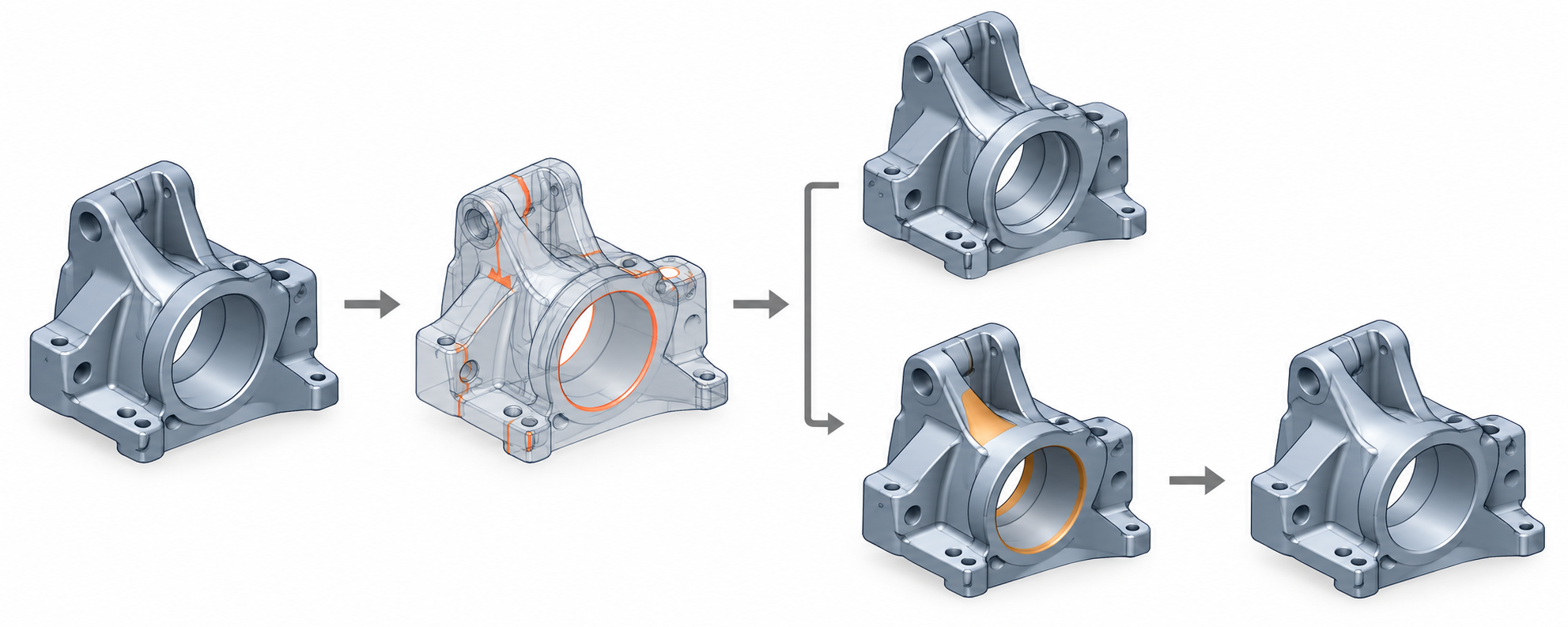
A health record worth keeping
For each transferred object, capture:
- source and received body/shell/face or mesh counts where meaningful;
- open, non-manifold, self-intersection, orientation, and degeneracy findings;
- units and relevant tolerance values;
- the diagnostic tool and version;
- any repair operation and its settings;
- the downstream operation tested and its result;
- known exclusions, such as assembly structure, features, or PMI not covered by the geometry check.
When repair is warranted, see geometry repair after translation. For comparing measurable properties, see validate a geometry handoff.
Sources and limits
The Open CASCADE evidence is kernel-specific, the 3MF evidence is object- and version-specific, and the Fusion and SOLIDWORKS evidence is receiver-specific. A passed diagnostic in one environment is evidence for that check in that environment, not universal proof of exchange quality.