Geometry can arrive intact while the surface appearance changes. The reason is that appearance is a chain of linked data: geometry exposes UV coordinates, a material points to textures or shader networks, texture objects select image resources and samplers, and the receiver interprets those relationships through a rendering context.
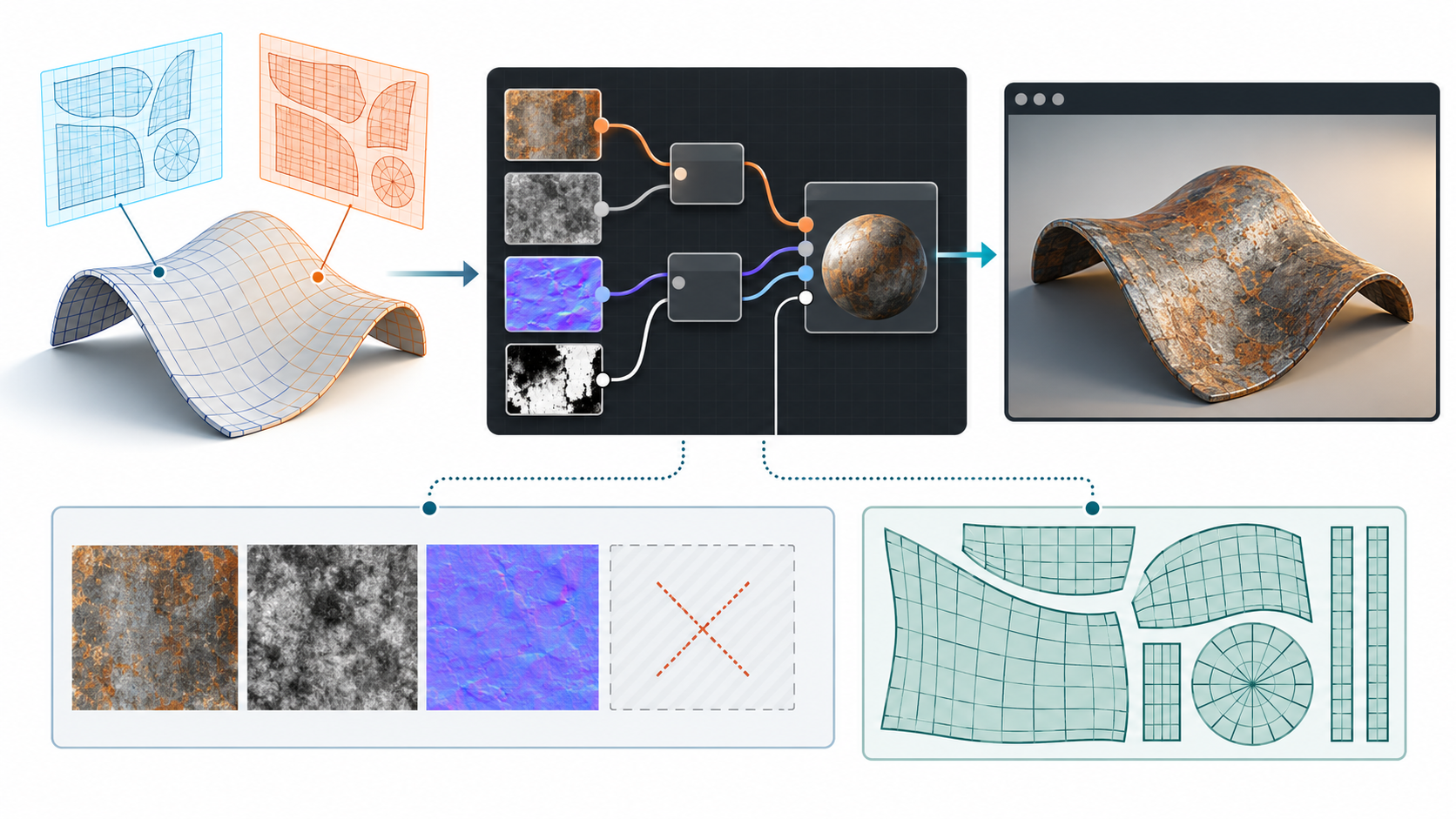
Follow the relationship chain
Inspect the whole chain rather than checking only whether material names survived.
| Relationship | What to inspect | Typical failure signal |
|---|---|---|
| Geometry → UV set | Which TEXCOORD set each map uses and whether the mesh provides it. |
A texture is present but appears stretched, offset, or uniformly colored. |
| Material → geometry | Which mesh, primitive, subset, or instance receives each material. | Parts use the wrong material or fall back to a default. |
| Material → texture | Which map supplies base color, roughness, metallic, normal, occlusion, or emission information. | Gloss, relief, transparency, or color response differs from the source. |
| Texture → image | Whether the image is embedded, in a buffer, or an external file, and how its path resolves. | A missing image, placeholder color, or partially loaded asset. |
| Texture → sampler | Wrapping and filtering behavior at the edges and at different distances. | Seams, tiling differences, aliasing, or blurred details. |
| Material → shader network | Which nodes and outputs are available in the target render context. | The material loads but unsupported nodes or outputs are ignored. |
The acceptance target should name the required appearance, not just the source material graph. For example, a product review may require correct branding colors and transparent parts in a fixed view, while a real-time asset may accept a simpler material if its silhouette, labels, and roughness cues remain usable.
Inventory concrete texture resources and UV purposes
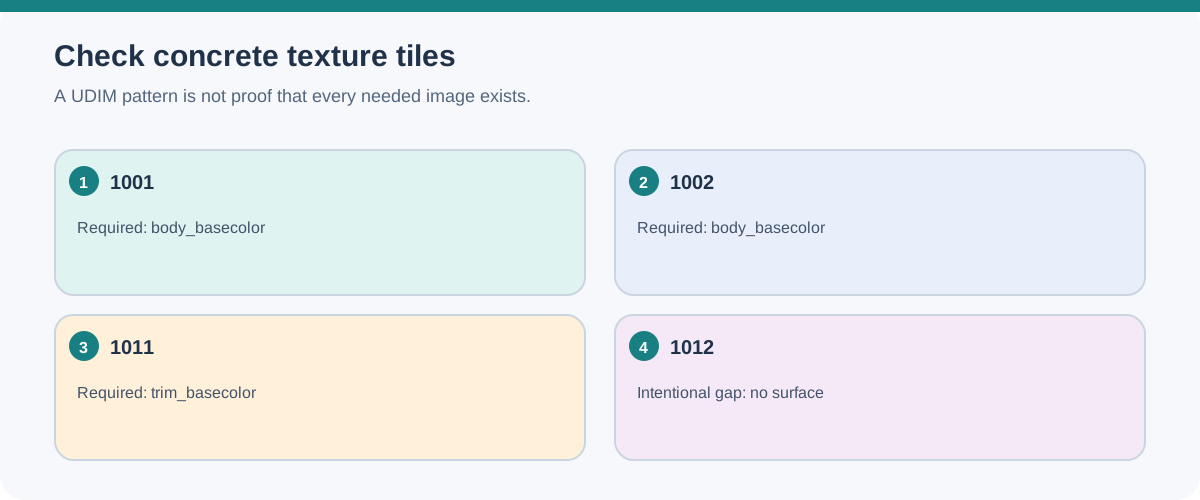
A tiled texture pattern is not the delivered tile set. List the concrete image files and identify any intentionally sparse positions; a successful <UDIM> pattern lookup does not prove that every required tile exists. OpenImageIO’s TextureSystem provides one bounded way to inventory populated and missing tile positions, but its behavior is not a claim that a different renderer uses the same lookup path.
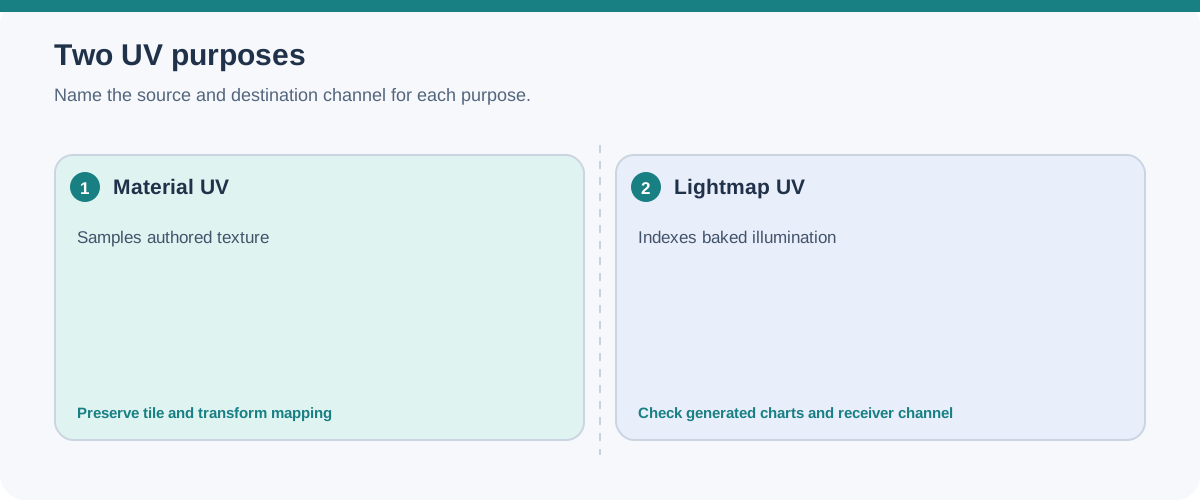
Record the material’s texture-coordinate channel separately from any lightmap channel. A channel number alone does not state its purpose. In Unreal Engine 5.8, materials can select UV channels for texture sampling, while lightmap UVs need non-overlapping charts within the 0–1 range. The documented lightmap generator repacks existing charts rather than splitting them to make new islands. Datasmith import can create a second UV set for lightmaps; inspect the source and destination channels, chart layout, and actual lighting result instead of assuming the generated channel is correct.
Texture interpretation is also part of the receiver context. Record color versus non-color data, alpha convention, mip/filter/compression settings, and streaming/transcoding conditions when they affect the required appearance. Blender 5.2 distinguishes sRGB-like color imagery from data maps and exposes separate alpha modes. Unreal Engine 5.8 documents receiver-side sRGB, mip, filtering, compression, and UV-streaming analysis settings; its streaming analysis can miss world-position, vertex-color, or combined-UV sampling cases. These are application settings to inspect in the named receiver, not properties guaranteed by the interchange file.
When textures are exported from an authoring tool, inspect the selected output template as well as the files it creates. Adobe’s current Substance 3D Painter documentation says an output slot that references a channel absent from the Texture Set receives a neutral default value. A map can therefore exist without representing authored source data, and the suitable default depends on the target shader. Record the template and available source channels, inspect the exported map, and confirm how the named receiver interprets it. Painter also saves only the last-used export preset in a project on subsequent saves, so preserve the intended preset state when repeatable exports matter. These are documented authoring conditions, not a claim about a particular project export.
glTF separates texture resources
The glTF 2.0 specification separates textures, images, and samplers. A texture selects an image and a sampler. An image can point to an external resource, carry a data URI, or reference a buffer view. Material texture information also identifies the texture-coordinate set used for mapping; the corresponding mesh attribute must exist for the material to apply.
That structure makes a glTF asset inspectable, but it does not make every delivery self-contained or every renderer equivalent. A GLB can place JSON, buffers, and images in one binary container, yet the specification still permits external resources. Check the actual resource references and the receiver’s support for any required extensions.
UV transforms and material variants are extension-scoped
The ratified KHR_texture_transform extension can add an offset, rotation, and scale to a textureInfo, and can override which UV set it selects. The transformed coordinates still depend on the sampler’s wrapping behavior or on staying within a usable range. If the receiver does not support the extension, a fallback UV set may be needed; otherwise the extension should be treated as required for the delivery.
The ratified KHR_materials_variants extension is a separate, finite material-choice mechanism. Named variants are mapped to materials at primitives, and an active variant can change the mapped material without changing the geometry. A primitive without an applicable mapping falls back to ordinary glTF behavior. Test each required variant and its textures rather than treating the presence of variant names as proof of the intended appearance.
USD materials can contain several render contexts
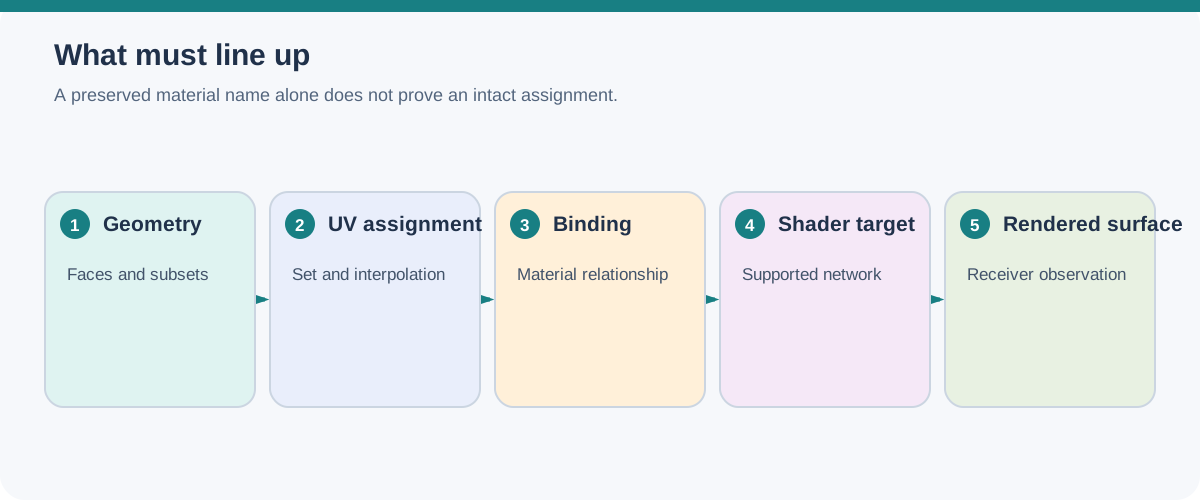
UsdShadeMaterial is a container in which multiple render contexts can provide shading data. The core API exposes surface, displacement, and volume outputs, and an output can be qualified for a universal or specific render context. Shader prims and node graphs live under the material namespace, which supports composition and reuse.
Geometry can bind to a material directly or through geometry subsets. Material variants can change networks, interface values, or parameters without changing material identity or geometry bindings. These are useful relationships to preserve when the receiving pipeline understands them.
They are not a promise of identical rendering. The interpretation of inherited or overridden bindings is partly left to the render target, and a renderer may not support every context, shader node, texture convention, or variant. A material graph that resolves is evidence that the graph can be read; it is not evidence that the target produces the same image.
Exporter settings and material targets matter too. In Blender 5.2’s USD exporter, the material option can produce a USD Preview Surface network, a separate MaterialX network, or both targets. When multiple materials are assigned to one object, the exporter may create geometry subsets and also bind the first material to the mesh for a Hydra viewport limitation. Displacement is exported in object space with constant midlevel and scale values. Treat these as Blender-exporter behaviors and inspect the assignments, target network, and displacement in the intended receiver; they do not establish renderer equivalence.
The destination can also manage materials in its own USD context. Omniverse USD Composer’s documented material workflow can keep nested Looks directories for nested USD assets; replacing a material can preserve the target USD connections while updating assets that use that material. This helps manage bindings inside that workflow, but it does not prove that another application resolves the same paths or renders the same result. Record the Composer build and the tested replacement operation when that workflow is part of the handoff.
MaterialX is a mapped handoff, not a rename
MaterialX describes material and look-development relationships across applications and renderers, but the OpenUSD usdMtlx bridge maps those relationships into USD schemas and composition. Inputs and outputs map to UsdShade interfaces, nodes and nodegraphs map to shader and node-graph prims, and material assignments use USD binding and collection concepts. Looks can become USD variants.
The mapping has boundaries. The documented bridge can ignore or incompletely handle features such as geometry name expressions, some visibility and geometry-binding elements, and certain custom-node arrangements. Custom nodes may depend on file placement, exposed texture inputs, and configured plugin search paths. A MaterialX document that can be read is therefore not automatically a document whose bindings or rendered appearance survived.
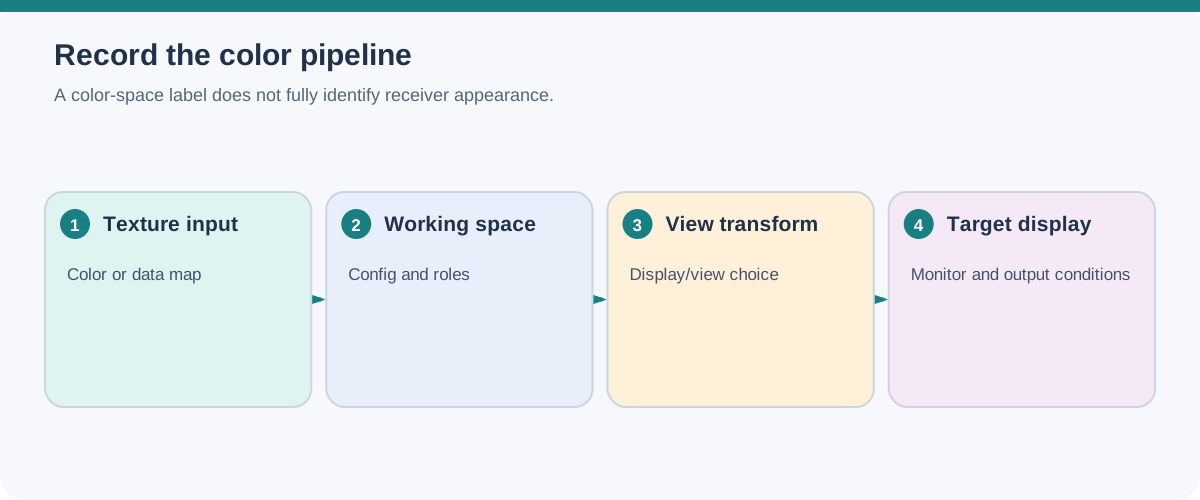
Pin the MaterialX document specification version, node library, shader target, image reader, and color-management configuration used for the test. For OCIO-based pipelines, record the exact configuration/profile version, applicable roles and file rules, source and working spaces, and view/output transform; a color-space label alone does not identify how an application will interpret it. MaterialX documentation describes loading earlier documents into an equal-or-higher specification version with import-time upgrades, while optional OpenImageIO and OpenColorIO build support changes available image and color capabilities. These are library and build conditions, not proof of a receiver’s coverage.
Choose a declared appearance target
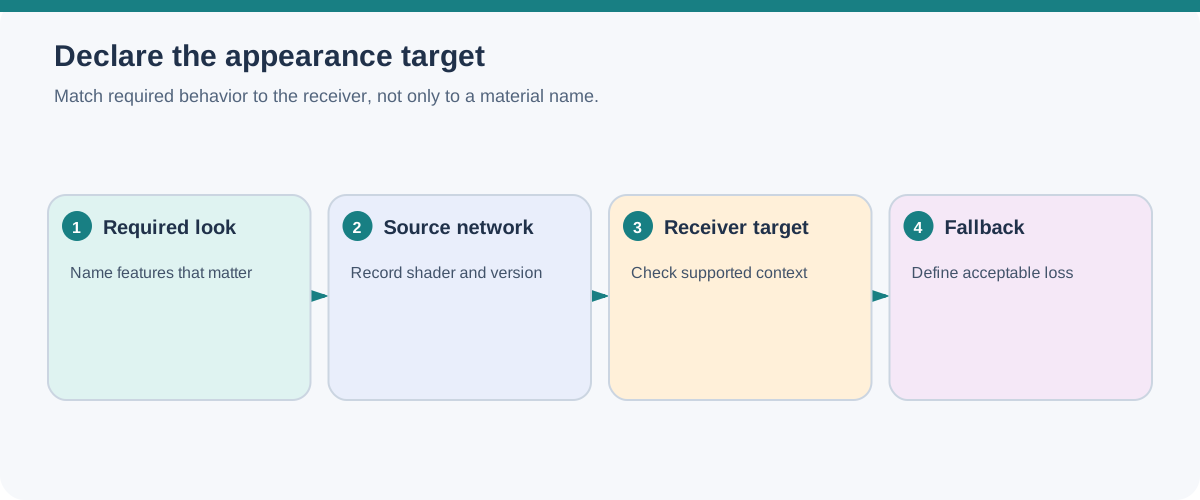
Before exchange, decide whether the target is:
- a common material model with a bounded feature set;
- a renderer-specific shader network;
- a baked appearance, such as textures or a rendered reference; or
- a combination, where the portable material is the fallback and the richer network is retained for a named renderer.
If you need more than one target, name each one. Keep renderer-specific networks distinguishable from the portable path, and record which target was actually tested. Do not use an unqualified “materials preserved” statement when only names or base-color maps were checked.
Build a reference-surface test
Use a small fixture that exposes the relationships most likely to fail:
- A surface with a known UV seam, a second UV set if the workflow uses one, and any
KHR_texture_transformoffset, rotation, scale, or coordinate-set override. - A material with a base-color image, roughness or metallic variation, a normal map, and any required transparency or emission.
- A repeated or subset-bound part to check material assignment, instance behavior, and any required material variant mapping.
- A deliberately external image to verify package paths, plus an embedded or packed equivalent where supported.
- The declared renderer, color-management assumptions, MaterialX/USD or shader version, camera, and lighting setup.
Compare named regions rather than making a general visual impression. Check map-to-UV assignment, transformed coordinates, texture resource resolution, material and variant selection, alpha behavior, and expected surface cues. If the target renderer or color pipeline is not named, the result should be described as a conditional observation rather than a universal fidelity claim.
Missing textures and broken paths are package problems as well as appearance problems. Continue with Package and Test a Visual Scene Handoff when the resources need to travel with the scene.