A single file is not automatically a self-contained delivery. A visual scene can depend on sidecar buffers, images, referenced layers, payloads, shader resources, packages, resolver settings, or a receiver-specific feature set. Build a manifest, define the package boundary, and test the actual package in a clean destination context.

Create a dependency manifest
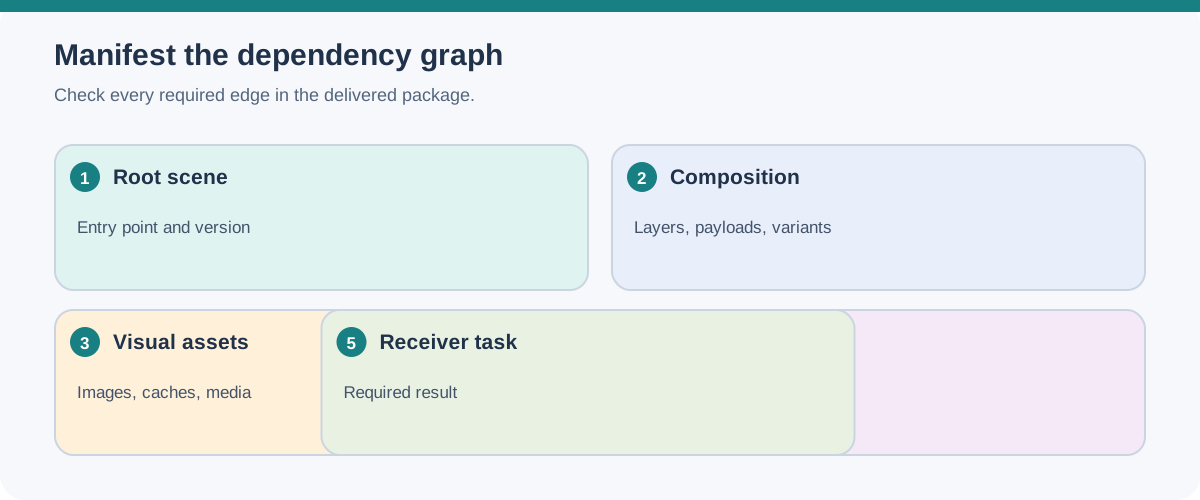
Start with the root scene and list everything required for the intended result:
- root scene or stage, its version/profile, authoritative root/public entry points, saved layer opinions, and any extensions used or required;
- referenced layers, sublayers, payloads, and selected variants;
- meshes, instances, prototypes, skins, deformation bindings, transform stacks, and UV data;
- materials, shader networks, texture images, samplers, concrete UDIM tile files, and material variants;
- selected texture-output template, source channels present in each Texture Set, and any maps or packed channels generated from missing inputs;
- cameras, lights, animation clips, property-animation targets, visibility states, image sequences/parts/channels, and any required fonts or media;
- geometry-cache file sequences with time range/sample policy, volume field-to-shader relationships and time-sampled external files, or point payload dependencies when those representations are used;
- the authored, composed, evaluated, baked, compiled, or rendered state; evaluation mode; render-versus-viewport settings; cache state; and any flattening or hierarchy policy; and
- external packages, resolver schemes, search paths, licenses, and receiver-side prerequisites.
For every entry, record its relative or external path, expected owner, whether it is embedded or sidecar, and the check that proves it is usable. For tiled images and sequences, record the concrete filenames, required frames/tiles, and intentionally missing entries. For UVs, distinguish material texture coordinates from generated lightmap coordinates and name the source/destination channels. Include optional resources separately so a missing preview asset is not confused with a missing required texture or animation.
Choose and document the path strategy
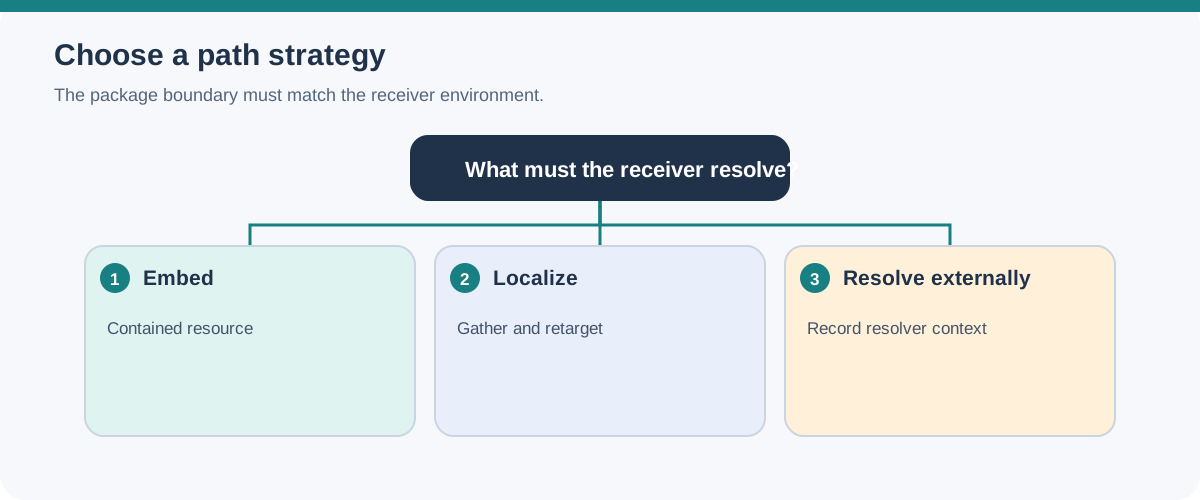
glTF represents the scene description in JSON and can use binary buffers and image files. Those resources may be sidecars, embedded as data URIs or buffer views, or placed in a GLB container. A GLB can gather JSON, buffers, and images into one binary blob, but it may still refer to external resources. Inspect the actual URIs and references rather than treating .glb as a universal guarantee of closure.
USD makes the path question more explicit. Asset paths name locations that a resolver validates, normalizes, and resolves. A resolver context can change how a path is interpreted, and a valid path string can remain unresolved on a receiver that lacks the same files, search paths, URI scheme, or context.
USD localization gathers scattered layers into a file tree and retargets references, payloads, and generic asset paths. It is a packaging and path operation, not the same as flattening the composition. A USDZ package can contain USD files, images, textures, and audio, and its first native USD file is the Default Layer when the package is to be staged or referenced as a whole. USDZ is read-only as a package; editing its contents requires unpacking and repackaging.
The manifest must also capture feature and build context. A glTF package that uses KHR_texture_transform, KHR_materials_variants, KHR_lights_punctual, KHR_animation_pointer, or KHR_node_visibility should identify those extensions and whether the receiver must support them. A USD or MaterialX delivery may depend on transform-stack order, value-clip files, UsdSkel relationships, MaterialX specification/library version, shader target, image reader, plugin search path, or color-management configuration. These are dependency conditions, not decorative metadata.
Include application-level export and import choices when they alter the scene. Blender’s Alembic options distinguish flattening parent relationships from render/viewport visibility and modifier evaluation; its USD exporter exposes evaluation and Xform representation choices. A Datasmith import record should identify the engine/importer version and options that can flatten nested layers or change hierarchy, scale, and transform-animation representation. For Datasmith Runtime, record the selected runtime hierarchy mode and imported metadata/geometry settings, plus the platform and plugin conditions. These examples are specific to the documented tools and releases; they are prompts for the manifest, not claims that a transfer has been tested.
If a USD scene relies on computed values or custom OpenExec schema computations, list the OpenUSD build, the registration and C++ callback plug-in, and the intended evaluated or baked representation. OpenUSD 26.08 documents value-driven computations and registered callbacks, but this does not establish how a scene package persists those registrations or whether a destination loads or evaluates them. Verify that exact dependency and result in the receiving build.
Do not overstate what USDZ includes. The specification allows files inside a package to refer outside it, permits nested packages, and allows resolver-dependent paths. Tools such as usdzip --asset can discover recursively referenced files and retarget paths, but the resulting package still needs inspection under the intended receiver conditions.
Run structural preflight before visual review
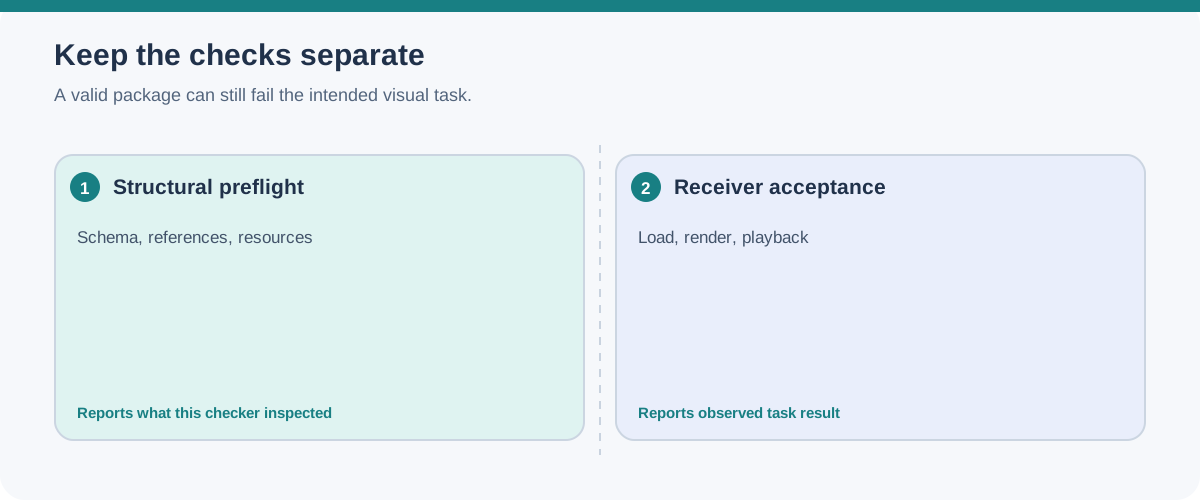
For a glTF or GLB delivery, the official Khronos glTF Validator can check the asset against its implemented glTF 2.0 checks. Its report can include JSON and GLB correctness, schema and internal-reference validity, resource checks for buffers and images, animation data conditions, and supported extension checks. Record the validator release or commit and retain the JSON report.
For USD or USDZ, use the relevant package and format utilities, such as package listing, path inspection, and usdchecker where appropriate. A package checker can establish that the package meets the checks it performs. It cannot establish that a renderer supports every feature or that the result matches an approved image.
For extension-bearing glTF, inspect extensionsUsed and extensionsRequired, then validate the actual targets: transformed UV sets, primitive material mappings, light-node attachments and units, JSON Pointer types, and recursive visibility. For USD and MaterialX, inspect transform-operation order, instance/prototype arrays, bindings and custom-node resources, time-sample or clip files, and the pinned version/build conditions before visual review.
Audit extensions and their resources
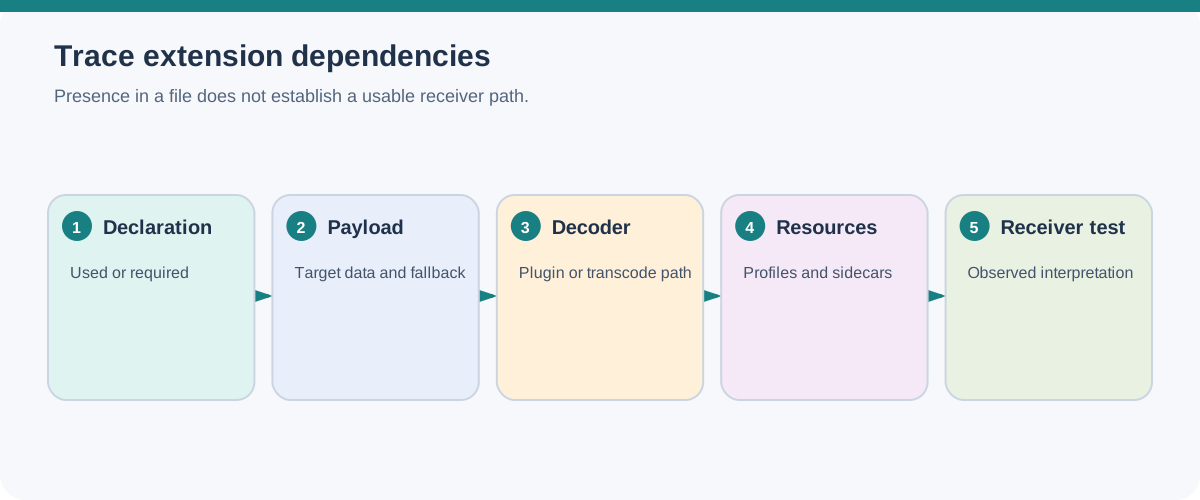
For each glTF extension, check the current Khronos registry entry and the extension’s own requirements. extensionsUsed declares extensions present in the asset; extensionsRequired must be a subset and identifies extensions a client needs to load or render the asset correctly. Neither the registry maturity label nor either declaration proves that the intended receiver implements the extension. Record the receiver’s support and version in the handoff.
Then trace each extension to its data and resources. For compressed geometry such as KHR_draco_mesh_compression, verify that the receiver has a compatible decoder. For KHR_texture_basisu, check the KTX 2 image and the receiver’s transcode path; if the extension defines fallback data, confirm that the package contains the intended fallback and test what the receiver uses. For EXT_lights_ies, include or resolve every referenced IES profile. For EXT_lights_image_based, include the referenced environment images and check the declared cubemap, mip, and orientation settings. A file extension or successful structural validation does not establish that these resources resolve or that the receiver interprets them as intended.
Make interactive behavior testable
A glTF handoff may include KHR_interactivity behavior graphs or node hoverability and selectability declarations. These describe serialized graph or targeting data; they do not establish how a receiving application maps user input, exposes selection, or presents interface feedback. In the manifest, name the graph entry points, expected inputs or events, target nodes, resulting state or action, and visible outcome that matters to the task. In the intended receiver, check that it supports the relevant extensions, trigger each required interaction, and record the observed result and any application-specific input or interface setup. Treat a behavior graph or a hoverable/selectable node as test input, not proof of a usable interaction.
Structural preflight answers “does this package satisfy these format and resource checks?” It does not answer “does the receiver produce the required visual result?” Keep those judgments separate.
Test in a clean receiver
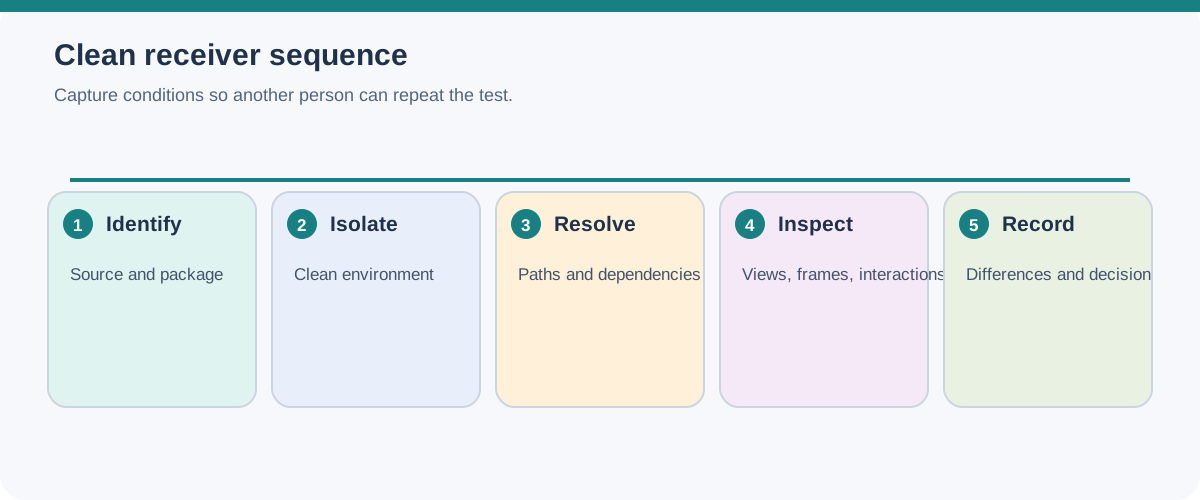
Use a test directory, machine, container, or user context that does not accidentally inherit the exporter’s search paths. Then:
- Record the source application, release, scene state, active variant, selected representation, and package creation tool.
- Inspect the manifest against the files actually delivered. Check case, relative paths, nested packages, sidecars, and external references.
- Resolve every required path in the clean receiver. Record missing, substituted, or resolver-dependent resources.
- Reopen the saved source/delivery state, load the required layers and payloads, select the named variants, and compare hierarchy, transform-operation order/reset state, prototypes and instance arrays, deformation bindings, and object identity. Note unsaved session opinions or references that were not included.
- Open the approved cameras and compare reference frames at the agreed aspect ratio and resolution.
- Inspect representative materials, UVs, textures, transparency, lighting, and shadows with the named renderer or runtime.
- Play required animation clips and compare selected frames, timing/interpolation, targets, deformation, visibility states, and initial state.
- Record receiver version, renderer/runtime, enabled extensions, validator or checker result, image parts/channels when the deliverable is an image, deviations, and acceptance decision.
For a real-time or USD scene, also inspect the state that the receiver actually loads and displays. Do not use a thumbnail, UI-only hidden hint, proxy/bounds draw mode, or cached extent as proof of rendered appearance or geometry presence. Load the required payloads, select the intended import/runtime mode, and inspect a normal render or runtime view. Record that view mode and any cache/evaluation state alongside the result.
The clean-receiver test is the evidence for this package instance. A package specification, a successful validator run, and a successful initial open are useful separate observations; none replaces the complete test when visual usability matters.
Keep the acceptance record useful
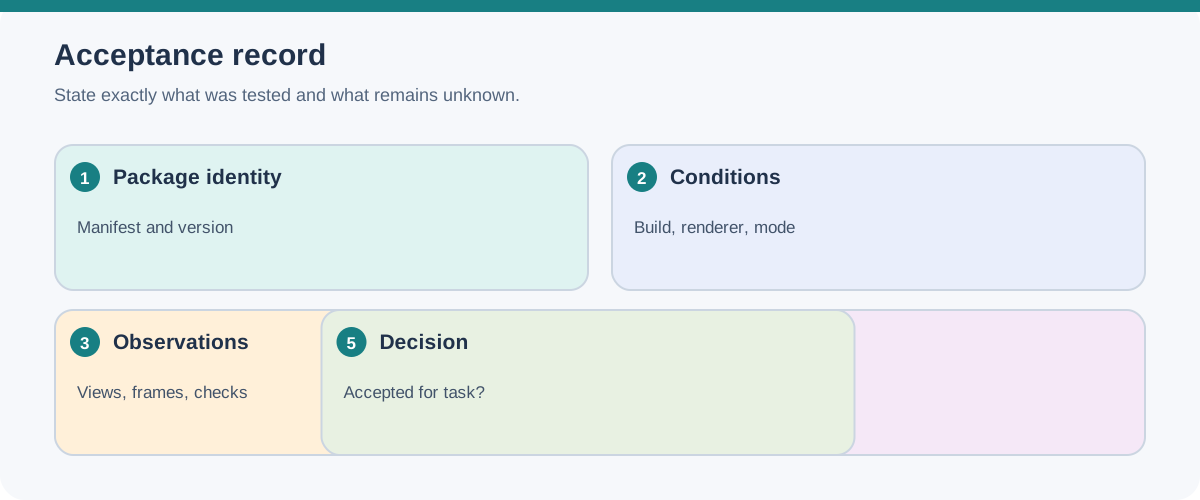
At minimum, retain:
| Record | Why it matters |
|---|---|
| Manifest and package hash or equivalent identity | Shows exactly which dependency set was tested. |
| Source and receiver conditions | Prevents a result from being generalized across releases or renderers. |
| Structural preflight report | Separates format/resource defects from receiver behavior. |
| Selected views, clips, variants, and load state | Makes the visual comparison reproducible. |
| Extensions, format/library versions, and build or color-management context | Explains feature and appearance conditions that a file alone cannot guarantee. |
| Observed differences and permitted limits | Distinguishes accepted degradation from an unexamined loss. |
| Final acceptance decision | States whether the package serves the declared downstream objective. |
If the package fails, classify the failure: missing dependency, unresolved path, unsupported feature, composition difference, appearance mismatch, playback difference, or acceptance failure. A repair that makes the file open does not by itself restore a relationship that was flattened or a feature that the receiver cannot interpret.
Use Scene Graphs, Composition, and Variants for composition choices and Cameras, Lights, and Animation for the viewing-result fixture.