Before exporting a board or opening a co-design session, ask what the receiving team must decide or do. A board-shaped model may answer an enclosure-fit question while saying little about connectivity, selected components, or manufacturing intent. A larger package is not automatically a better handoff if the recipient cannot identify its source state or use its contents.
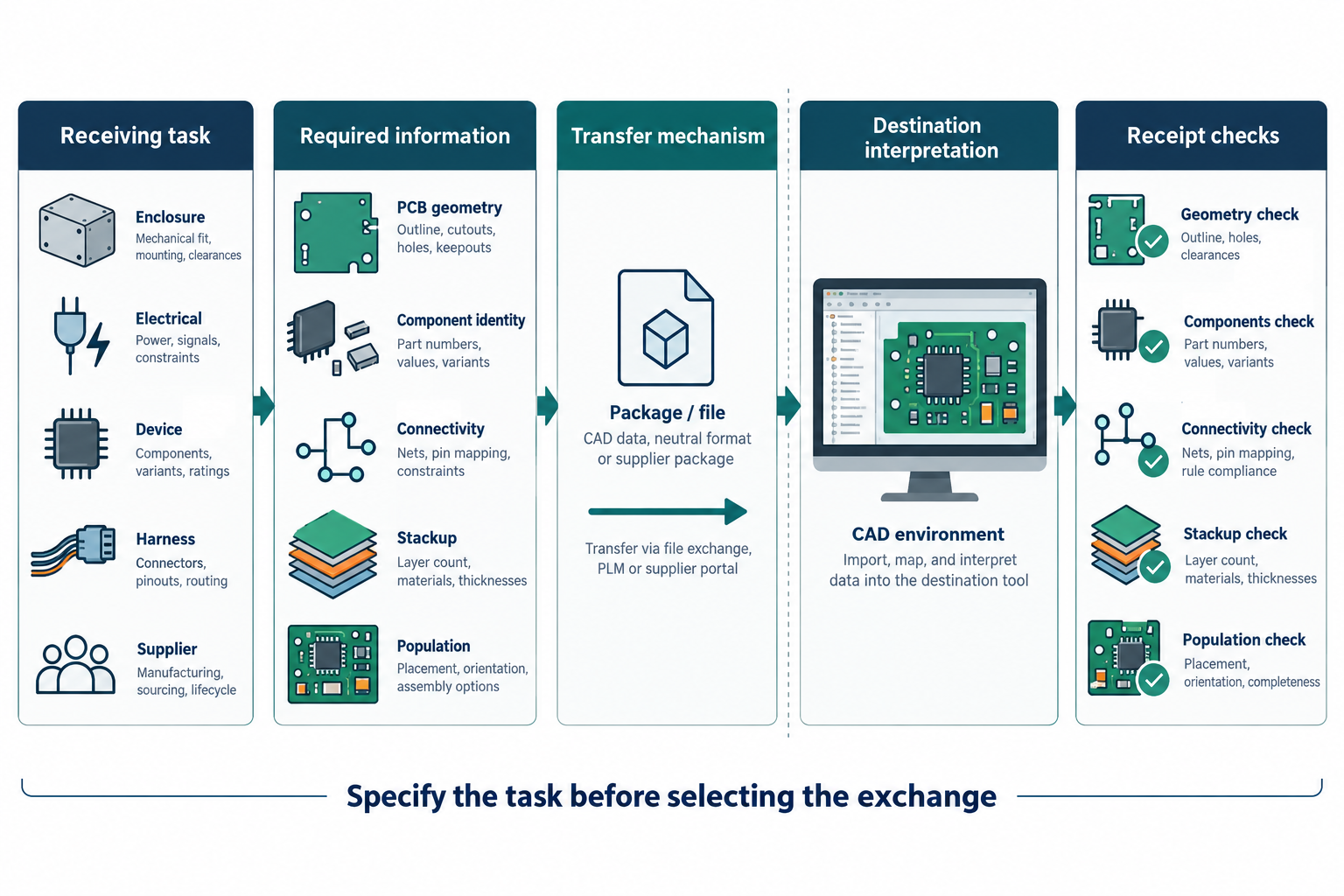
Start with the receiving task
| Receiving task | Information to specify | Check at receipt |
|---|---|---|
| Enclosure fit | Board outline, mounting features, datum and units, relevant component bodies, and intended population | Compare the received geometry and placement with the agreed source state and fit criteria |
| Electrical or design review | Component identity, pin or pad association, nets, relevant layers and stackup, plus constraints the reviewer needs | Check the required objects and relationships in the destination; a visible model is not an electrical check |
| Multi-board device coordination | Each board’s identity and state, its occurrence and placement, enclosure context, and connector references | Reconcile the board list and placements, then verify board content and electrical interfaces separately |
| PCB panel for fabrication | Child-board identities and states, parent-panel geometry and stackup, array placement, and output set | Reopen the panel after child-board updates, verify each linked source state, and reconcile every panel instance and generated output with the fabricator’s requirements |
| Harness design | Connectivity and topology, physical route information, configuration, and the meaning of returned measurements | Confirm direction, object associations, units, and which values changed |
| Fabrication or assembly | The recipient’s required layer images, profile, drill/rout data, stackup, population, placement, parts, and test inputs | Inspect the generated set, selected configuration, and recipient’s required checks |
| Bare-board or assembly test | Test stage, selected testpoint set, IPC-D-356 purpose, population, and panel instance | Compare the emitted files and settings with the test plan; confirm how each file maps to its board or panel instance |
Treat the table as a requirements prompt. It is not a compatibility matrix or a universal deliverables list. A fabricator, assembler, test provider, or design partner must confirm what its process requires.
Identify the state before choosing a mechanism
Record the source project and board, the saved or released state, the selected variant or population, relevant board occurrences, and the files or service that will carry the data. A fabrication panel also has a parent-panel state and one or more child-board states; it is different from a device assembly that places boards in a product. When several outputs are generated, record their settings together. Separate output dialogs can select different variants or source documents, so a matching filename or timestamp does not prove that a model, placement list, bill of materials, and fabrication data describe the same design state.
For example, KiCad documents different variant controls for fabrication plots, position files, 3D models, and command-line IPC-2581 or ODB++ exports. Altium documents separate variant selection in its output jobs and Project Releaser. These are product-specific controls. Inspect the actual generated deliverables and verify the selected state rather than assuming one setting governs every output.
Choose the information path, not just a file extension
Different representations answer different questions. KiCad distinguishes an external schematic netlist from an IPC-D-356 board netlist intended for bare-board checks. Altium describes CoDesigner as sending a data package through a Workspace rather than sending the PCB project file itself. Its documented package can include board data, layer geometry, component models, and optional copper geometry. Neither a format name nor an available connector establishes that a particular receiver preserves the details you need.
For every important field or relationship, ask:
- Is it present in the source design state?
- Does the selected export or exchange operation include it?
- Can the named receiver interpret it in the intended way?
- What comparison or recipient check will show that it arrived as required?
Schema validation can answer a narrower question. The IPC-2581 Consortium describes its validator as checking a file against the schema for a selected revision; it explicitly excludes design correctness, completeness, and manufacturability. Those require separate checks.
Assign change authority and define acceptance
Name who owns board geometry, electrical objects, component mapping, enclosure placement, and supplier output settings. If the handoff supports changes in both directions, distinguish a proposed change from one received, applied, and saved in the authoritative source project. Altium CoDesigner and other collaboration modes have operation-specific behavior; do not assume every flow provides a human approval step or a complete round trip.
Before sending, agree on the source state, intended recipient task, included and excluded information, unresolved fields, and the evidence the recipient will return. At receipt, compare the required information and relationships with that brief. A successful open, schema pass, or “sent” status is not by itself proof of usable electrical data, correct fit, accepted manufacture, or applied change.
For detailed decisions, continue with PCB model handoff, electrical identity and connectivity, harness exchange, the supplier package guide, or the guide to linked PCB panel and child-board state.